The iPad Pro continues to redefine what a tablet can do. Once known mainly as a consumption device, it has rapidly matured into a legitimate workstation capable of performing the tasks we typically associate with high-end laptops. Whether you’re producing music, editing 4K footage, running professional illustration apps, designing 3D models, or multitasking across Stage Manager windows, the modern iPad Pro is astonishingly capable.
But even with this tremendous power, there’s still one bottleneck every user encounters: the single USB-C or Thunderbolt port. This lone port handles charging, external display output, file transfers, audio interfaces, docking accessories, and everything in between. And when your workflow becomes more demanding, that limitation becomes obvious.
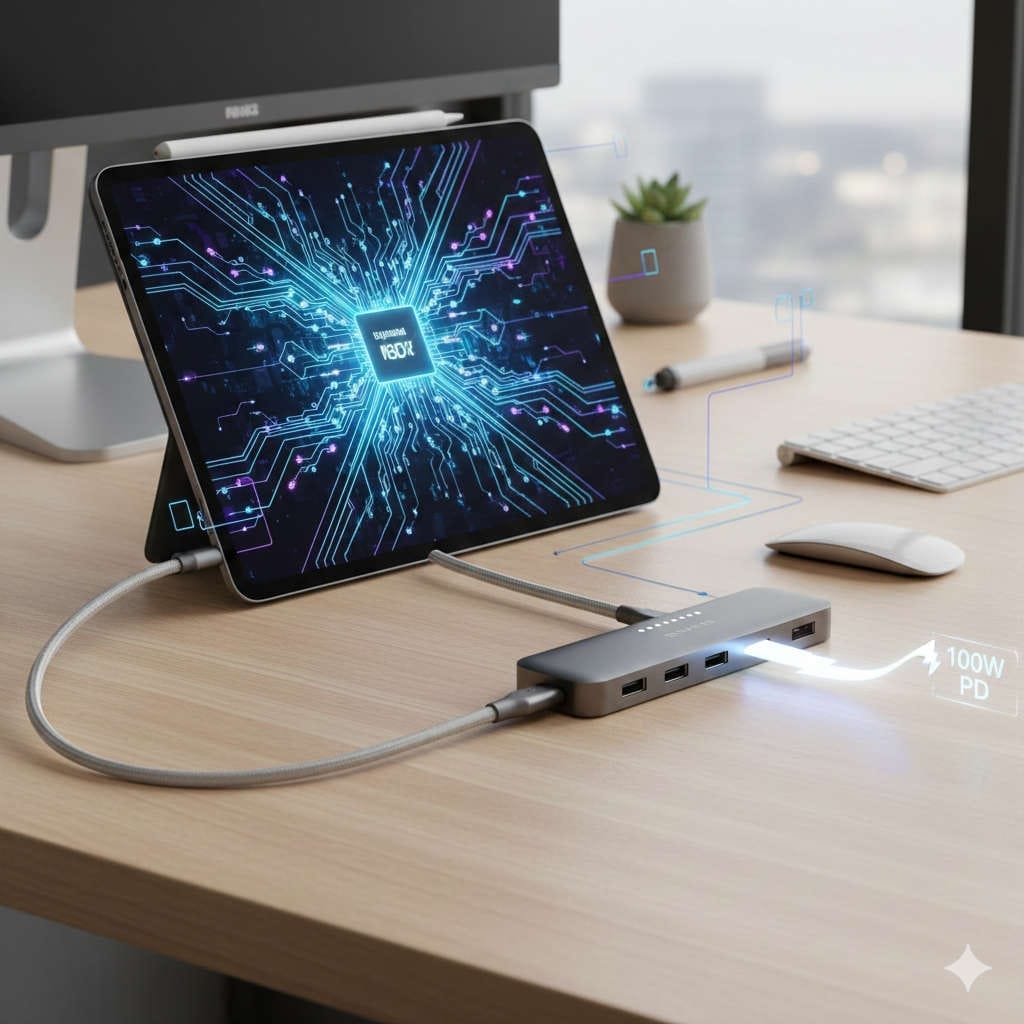
That’s where powered USB-C hubs with 100W Power Delivery passthrough step in. These hubs unlock the full potential of the iPad Pro, allowing you to build a desktop-grade workstation around a device that can fit in your backpack.
In this guide, you’ll learn everything about powered USB-C hubs with 100W PD passthrough, why they’re essential for iPad Pro power users, the features to look for, the best ways to integrate them into different workflows, and what the future of iPad connectivity looks like.
This is the only guide you’ll need before choosing your next hub.
Even though the USB-C and Thunderbolt ports on newer iPad Pro models are incredibly capable, they still have to juggle multiple responsibilities. A single port can’t realistically power an external monitor, charge the iPad, run SSDs, support an audio interface, and provide wired network speeds all at once—at least not reliably.
Power Limitations
When several accessories try to pull power from the iPad simultaneously, things get unstable quickly. External SSDs may disconnect mid-transfer. Monitors might flicker. Audio interfaces may produce noise. And the iPad battery can drain even while plugged in.
A powered USB-C hub solves all of this by delivering stable external power, the same way a laptop docking station does.
Productivity Limitations
Without a hub, your workflow is limited by constant plugging and unplugging. Need to import camera files? Now your iPad isn’t charging. Need to use a USB microphone? Now you can’t use your SSD. Need to mirror your display? Now you can’t connect Ethernet.
A powered hub expands that single port into a fully functional, multi-port docking system.
Workflow Limitations
The more your iPad becomes your main computer, the more you’ll want to run multiple peripherals simultaneously. Powered hubs let the iPad operate in a workstation setup without compromises, giving you:
Stable 4K or 6K external monitor output
Fast file transfers from SSDs and SD cards
Wired Ethernet for reliable internet
Charging for keyboards, cameras, and accessories
Clean audio for recording and mixing
Enough power to sustain long editing or drawing sessions
A powered USB-C hub is truly the bridge between tablet portability and desktop functionality.
How 100W Power Delivery Passthrough Works
Power Delivery (PD) is the protocol that negotiates charging between your power adapter, hub, and iPad. Here’s a simple breakdown:
You connect a 100W charger to the hub’s PD input.
The hub negotiates how much power it needs for itself.
The remaining wattage is passed through to your iPad.
The iPad pulls only what it needs (usually around 36–45W during heavy tasks).
The rest powers external peripherals.
Even though the iPad Pro doesn’t consume the full 100W, the presence of such a large power supply ensures that heavy peripherals won’t steal energy away from the iPad, keeping everything running smoothly.
This is why a 100W PD hub is superior to 60W or 80W models: the more headroom you have, the more stable your entire setup becomes.
Why a Non-Powered Hub Isn’t Enough
Non-powered hubs (also known as bus-powered hubs) get their energy from the device they’re connected to. While convenient for basic tasks, they quickly run into limitations, especially when multiple high-power accessories are involved.
Common Problems With Non-Powered Hubs
SSDs disconnect during large file transfers
Extended monitors fail to display or flicker
iPad battery drains slowly even when charging
Audio interfaces produce hiss or latency
USB ports become slow or unresponsive
Hub becomes excessively warm
Performance drops during demanding tasks
If you’re doing professional work—especially video editing, photography, music production, or multi-monitor workflows—a powered USB-C hub is not a luxury. It is a necessity.
Key Features to Look for in a Powered USB-C Hub for iPad Pro
Not all hubs are created equal. An iPad-friendly hub must meet certain criteria to deliver performance reliably.
100W PD Passthrough Minimum
Look for:
100W PD input from the power adapter
85W–96W PD output to the iPad (after hub’s own consumption)
Proper PD negotiation for stable charging even under load
Even if your iPad doesn’t need all that power, connected devices do.
High-Speed USB Ports
For creators, fast USB ports are essential:
USB-C 10Gbps
USB-A 5Gbps or 10Gbps
Support for external NVMe enclosures
Avoid hubs with primarily USB 2.0 ports unless they’re clearly intended for keyboards or mice.
External Display Support
Depending on your needs:
HDMI 2.0 for 4K at 60Hz
HDMI 2.1 for 4K at 120Hz or 8K support
DisplayPort 1.4 for high-resolution monitors
DisplayLink support for true extended displays on all iPadOS versions
If you regularly use Stage Manager, the right video output makes a huge difference.
SD and microSD Card Readers
Photographers and drone users should insist on:
UHS-II SD card slots
UHS-II microSD slots (bonus)
High sustained speeds for RAW video imports
UHS-II can literally save hours per shoot.
Ethernet Port
Fast, stable internet is necessary for:
Uploading large files
Working with cloud storage
Remote collaboration
Streaming
Stable Zoom or FaceTime calls
Gigabit Ethernet is standard; 2.5GbE is even better.
Audio Jack Support
An integrated headphone jack is helpful for:
Podcasting
On-site audio monitoring
Connecting studio monitors
Avoiding Bluetooth latency
Robust Cooling & Build Quality
A good hub should have:
Aluminum shell for heat dissipation
Anti-interference shielding
Strong, braided cables
Stable connectors that don’t wiggle
A well-built hub lasts years.
Best Powered USB-C Hubs With 100W PD Passthrough for iPad Pro (2026 Picks)
Below are the most reliable hubs for iPad Pro users across different workflows.
(Ordered by general use case, not ranking.)
While pricier, it delivers unmatched speed and stability.
Best Workflow Setups Using a Powered USB-C Hub
Different users need different functionality. Here are the most common real-world setups.
Professional Photography Setup
Recommended Ports in Use
UHS-II SD card reader
USB-C 10Gbps SSD
HDMI to calibrated monitor
PD passthrough for fast charging
Why It Works
Photographers often transfer thousands of RAW files. A powered hub ensures:
Transfers don’t fail
SSDs stay connected
The iPad remains charged during intense editing
Monitors display color accurately
You can use Lightroom, Capture One, or Affinity Photo seamlessly.
Video Editing Setup (DaVinci Resolve / LumaFusion)
Recommended Ports in Use
USB-C 10Gbps for NVMe SSDs
HDMI for external display
USB-A for control surfaces
Ethernet for cloud uploads
Why It Works
Video editors rely heavily on stable external storage. A powered hub:
Eliminates mid-transfer disconnects
Prevents SSD throttling
Keeps monitors stable at 4K
Ensures smooth timeline playback
This setup truly transforms the iPad Pro into a miniature editing workstation.
Productivity + Multitasking Setup (Stage Manager)
Recommended Ports in Use
HDMI/DP for external monitor
USB keyboard + mouse
Ethernet for fast work internet
USB-A for accessories
PD passthrough
Why It Works
This setup mimics a full desktop experience. A powered hub ensures everything remains stable, and Stage Manager can spread apps across multiple screens without slowing down.
Music Producer / Audio Engineer Setup
Recommended Ports in Use
USB-C audio interface
MIDI controllers through USB-A
Headphone jack for monitoring
PD passthrough to stabilize audio devices
Why It Works
Audio interfaces require extremely clean and stable power. Bus-powered hubs often create noise or latency. A powered hub ensures:
Zero interference
Continuous voltage
More ports for controllers
No dropouts during recording
Apps like Logic Pro for iPad and Cubasis run beautifully in this environment.
Travel / On-the-Go Setup
Recommended Ports in Use
HDMI for hotel TVs
SD card readers for camera work
USB-A for flash drives
PD passthrough for rapid charging
Why It Works
A good powered hub reduces the number of chargers and adapters you need to carry. Everything becomes plug-and-play and compact.
How to Choose the Perfect Powered USB-C Hub for Your Workflow
If You Use External Monitors Regularly
Look for:
HDMI 2.0 or 2.1
DisplayPort 1.4
DisplayLink support if needed
100W PD to prevent display flicker
If You’re a Photographer or Videographer
Look for:
UHS-II card readers
USB-C 10Gbps
Strong thermal design
Multitude of USB-A ports
If You Need a Desktop-like Workstation
Look for:
Multiple USB ports
Ethernet
HDMI/DisplayPort
Audio jack
If You Work With Thunderbolt Accessories
Choose:
Thunderbolt or USB4 hubs
100W charging
Daisy-chaining support
Troubleshooting Common Issues With USB-C Hubs on iPad Pro
Even the best hubs can encounter issues. Here’s how to fix the most frequent ones.
External Monitor Not Displaying Properly
Try:
Reconnecting HDMI
Restarting the iPad
Switching monitor inputs
Using a better HDMI cable
Updating iPadOS
External SSD Disconnecting
Often caused by:
Insufficient power
Poor-quality cables
SSD overheating
Solutions include:
Using the hub’s power input
Switching to a certified 10Gbps cable
Cooling the SSD during heavy transfers
Slow Data Transfers
Check:
Whether you’re plugged into a USB 2.0 port
Cable quality
Whether the SSD is near full capacity
Audio Interference or Latency
Usually due to inadequate power delivery. A powered hub fixes this immediately.
Future Trends in USB-C Hubs and iPad Connectivity (2026–2027)
Technology continues evolving, and with it, the future of hubs looks promising.
USB4 Version 2.0 Hubs
Expect speeds up to 80Gbps, making them even more ideal for high-resolution monitors and NVMe storage.
Higher-Power PD Standards
As more devices move toward 140W and beyond, hubs will follow.
Integrated NVMe Drive Bays
Future hubs may support built-in SSD slots for ultra-fast local storage expansion.
Better Multi-Monitor Support for iPadOS
Apple continues improving external display functionality, meaning better extended desktop experiences.
Sleeker, iPad-Specific Designs
Expect more magnetic, side-mounted, and seamlessly integrated hubs made specifically for iPad Pro users.
Final Thoughts: Is a Powered USB-C Hub With 100W PD Passthrough Worth It?
If you want to turn your iPad Pro into a true workstation—whether for creativity, productivity, entertainment, or professional work—a powered USB-C hub with 100W PD passthrough is absolutely worth the investment.
It gives you:
Reliable power
Stable external monitor support
Fast storage access
More ports for peripherals
Cleaner audio
Better multitasking
Longer device lifespan
A more seamless workflow overall
Your iPad transforms from a powerful tablet into a full computer. The right hub removes the friction, unleashes the iPad’s capabilities, and makes every task more efficient, enjoyable, and productive.