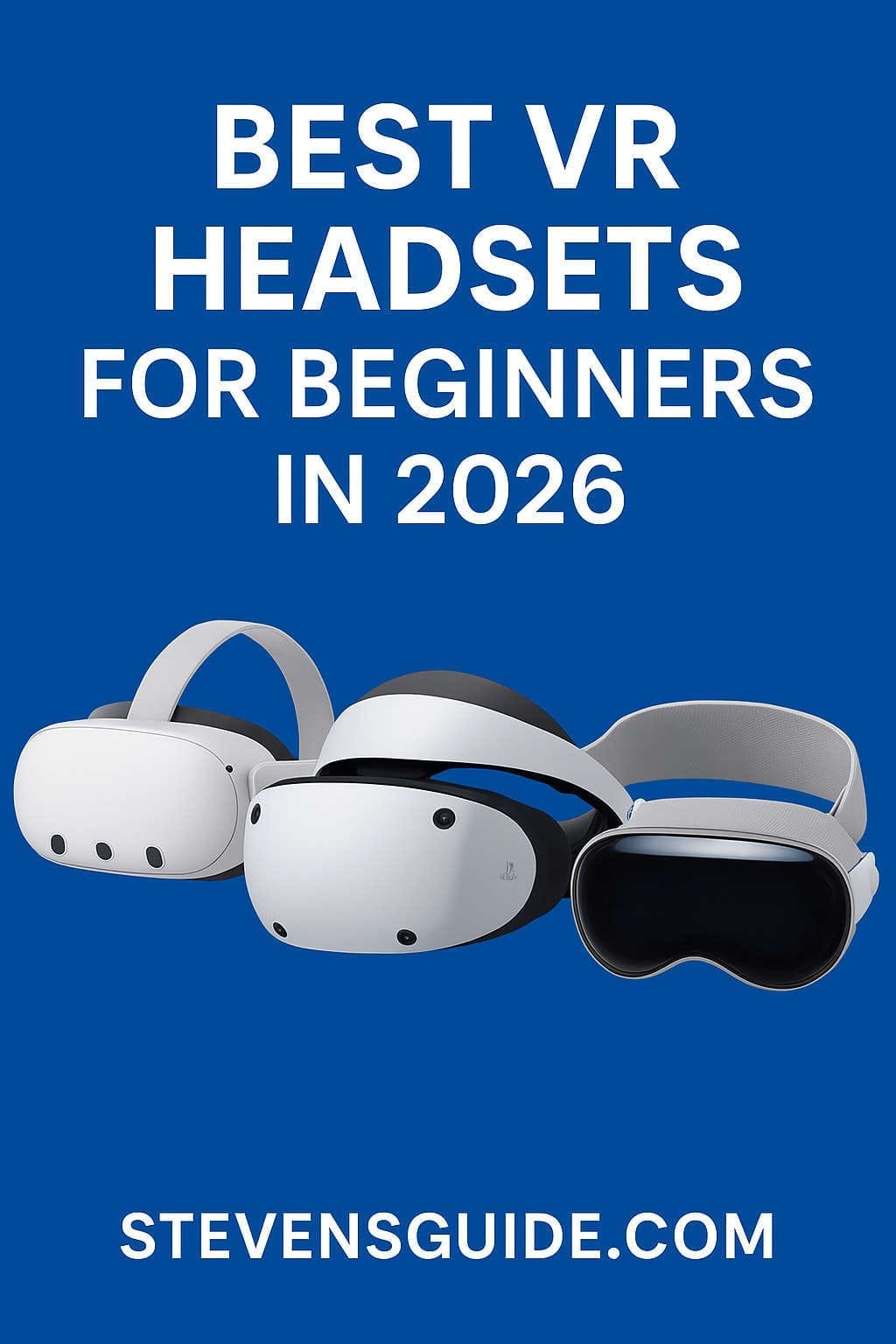
Virtual reality in 2026 has reached a point where it finally feels accessible, polished, and genuinely beginner-friendly. What used to be an experimental frontier for tech enthusiasts is now a mainstream hobby—one that families, casual gamers, students, and creatives can easily jump into without dealing with complicated cable setups, confusing software, or high-end gaming PCs.
But the flip side of this rapid growth is choice overload. There are more VR headsets available than ever before, each promising immersive worlds, crystal-clear visuals, mixed-reality magic, or premium productivity tools. For a beginner, it can feel overwhelming to figure out which headset is actually the best match.
This guide is designed to simplify that journey.
Below, you’ll find a detailed breakdown of the best VR headsets for beginners in 2026, along with practical buying tips, human-friendly explanations of what specs actually mean, comparisons between models, comfort considerations, and advice on picking the perfect device for your needs. Whether you’re shopping for yourself or gifting to someone new to VR, this guide will help you make a confident decision.
What Makes a VR Headset Beginner-Friendly?
Before diving into the top models, let’s set the stage by understanding what “beginner-friendly” really means in 2026.
1. Simple Setup
A beginner headset should be easy to get started with—no complicated base stations, multiple cables, or advanced PC requirements. Standalone headsets (wireless, self-contained units) are usually the easiest to use.
2. Comfortable Fit
Comfort is crucial for beginners who are still adjusting to the feeling of wearing a headset. Lightweight designs, balanced straps, soft facial padding, and good weight distribution help minimize fatigue.
3. Accessible App Ecosystem
A headset is only as good as the content you can run on it. Beginners benefit from a large library of games, fitness apps, learning tools, social experiences, and straightforward tutorials.
4. Fair Pricing
VR doesn’t have to break the bank. Many people testing the waters prefer cost-effective models that still deliver high-quality visuals and tracking.
5. Minimal Motion Sickness
Modern headsets place a lot of focus on reducing motion blur, improving refresh rates, and optimizing tracking—all important for first-time users who may be prone to motion sickness.
6. Versatility
Many beginners don’t yet know how they’ll use VR—gaming, fitness, creativity, productivity, social experiences, or mixed reality. A great beginner device supports diverse use cases.
With those criteria in mind, here are the best VR headsets for beginners in 2026, broken down by strengths and ideal user types.
Meta Quest 3 & Meta Quest 3S – The Best All-Around Beginner Headsets of 2026
If you’re looking for the easiest, most complete, and most affordable introduction to VR, the Meta Quest 3 and its slimmer cousin, the Quest 3S, are the most beginner-friendly options in 2026.
Why They’re Great for Beginners
Meta’s Quest lineup has dominated the beginner-friendly VR space for several years—and for good reason. These headsets deliver a nearly perfect blend of affordability, strong performance, wireless convenience, and a massive app library. You can take them out of the box, complete a quick setup, and jump straight into games, fitness apps, or mixed-reality experiences.
Key Advantages
- Completely wireless and standalone
- Huge game library with thousands of VR and mixed-reality apps
- Beginner-friendly tutorials and easy navigation
- Hand-tracking support for intuitive interactions
- Optional PC VR support if you eventually want higher-end experiences
Quest 3 vs. Quest 3S
Both are beginner-friendly, but they serve slightly different budgets:
- Quest 3: Higher resolution, faster processor, better mixed-reality passthrough. Great for those wanting premium clarity and longevity.
- Quest 3S: More affordable, slightly reduced specs, still excellent for new users who want a cost-effective entry point without sacrificing enjoyment.
Best For
- First-time VR buyers
- Families and casual gamers
- Fitness apps like Supernatural, FitXR, or Beat Saber
- Social VR experiences such as VRChat or Horizon Worlds
- Anyone wanting a cable-free setup
PlayStation VR2 – The Perfect VR Headset for Console Gamers
If you already own a PlayStation 5 or plan to buy one, the PlayStation VR2 is an easy recommendation. This headset brings high-end VR access to console players while keeping the setup simple and approachable.
Why PS VR2 Is Beginner-Friendly
Sony focused heavily on creating a polished, plug-and-play VR experience that feels familiar to console gamers. The PlayStation ecosystem is known for high-quality production values, and its VR lineup is no exception—cinematic storytelling, AAA-level visuals, haptic controllers, and deep immersion.
Key Advantages
- Highest-quality visuals in the beginner category
- Excellent exclusive games such as Horizon Call of the Mountain
- Simple setup using a single cable connected to the PS5
- Comfortable and ergonomic design
- Haptic feedback in both the headset and controllers
Limitations
- Requires a PlayStation 5
- Less flexible for non-gaming use cases
- Limited mixed-reality features compared to standalone headsets
Best For
- Console gamers
- People who want premium VR gaming without buying a gaming PC
- Beginners who value story-driven or cinematic game experiences
- Households with a PS5 already installed
If your primary goal with VR is gaming and you’re not interested in productivity, creativity apps, or mobile use, the PS VR2 offers some of the best value in 2026.
Apple Vision Pro – The Best High-End Spatial Computing Device for Beginners
The Apple Vision Pro is not the first device people think of when choosing a VR headset for beginners—but it is the most premium and refined option available today. While it sits at a much higher price point, it offers unrivaled display quality, intuitive eye-and-hand tracking, and a broad range of productivity and entertainment uses.
Why Beginners Love It
Even though it wasn’t designed as a traditional gaming VR device, the Vision Pro introduces newcomers to spatial computing with Apple’s classic approach: ease, polish, and accessibility. It’s ideal for users who want VR not for gaming but for media viewing, creative workflows, collaboration, and immersive productivity.
Key Advantages
- Stunning high-resolution displays
- Incredibly intuitive controls with no controllers required
- Perfect for movies, productivity apps, and virtual desktops
- Polished user experience with minimal learning curve
- Deep integration with iPhones, Macs, and iCloud
Limitations
- Expensive
- Smaller gaming library compared to Meta or Sony
- Not ideal for action-heavy VR gaming
Best For
- Apple ecosystem users
- Creative professionals
- Business, productivity, and content consumption
- People seeking the most luxurious and comfortable spatial computing experience
If you’re buying VR for immersive movies, big-screen workspaces, virtual travel, education apps, or creative projects, the Vision Pro is unmatched—even for beginners who have never worn a headset before.
Pico 4 / Pico 4 Ultra – The Best Meta Alternative for Beginners
While Meta dominates many Western markets, Pico has gained a strong foothold in Europe and parts of Asia. For beginners who want a standalone wireless VR headset but prefer an alternative to Meta’s ecosystem, Pico’s lineup is a compelling option.
Why Pico Appeals to Beginners
The Pico 4 series is known for lightweight comfort, impressive clarity, and straightforward interface design. The headset is particularly popular among fitness enthusiasts thanks to its light build and balanced ergonomics.
Key Advantages
- Lightweight and comfortable for long sessions
- Great optical clarity and wide field of view
- Solid app library with popular VR games
- Affordable compared to premium devices
- Strong hardware performance for its price
Limitations
- Availability varies significantly by region
- Smaller app store compared to Meta
- Limited mixed-reality features on earlier models
Best For
- Buyers living in regions where Pico is widely supported
- Fitness VR users
- People who want an alternative to Meta
- Beginners who prioritize comfort
Pico offers a refreshing hardware-focused approach and continues to be a top recommendation in markets where it’s readily available.
PC-Tethered VR Headsets – Best for Beginners Who Want to Grow into Advanced VR
While most beginners prefer standalone devices, some want to jump directly into high-end PC VR—especially those passionate about simulation racing, flight simulators, or graphically rich experiences.
PC-tethered headsets in 2026 include options that cater to beginners while still offering high-quality visuals and precise tracking. These headsets usually connect to a gaming PC through cables, but the payoff is performance beyond what standalone devices can currently deliver.
Why Beginners Might Choose PCVR
If you already own a powerful gaming PC or you know you want the highest fidelity possible, starting with PC VR can be a smart investment.
Key Advantages
- Best graphics and refresh rates
- Highly accurate motion tracking
- Access to SteamVR’s massive library
- Perfect for simulation enthusiasts
Limitations
- More complicated setup
- Requires a capable gaming PC
- Not wireless (unless using accessories)
Best For
- Sim racers
- Flight simulator players
- PC gaming enthusiasts
- Beginners who want the highest-quality visuals from day one
While these headsets aren’t as simple to set up as the Quest or Pico family, they offer unmatched depth and longevity if you’re serious about gaming and performance.
How to Choose the Right Beginner VR Headset in 2026
Choosing the best headset comes down to your preferences and expectations. Here’s a helpful breakdown based on common beginner profiles.
1. “I just want the easiest and most affordable intro to VR.”
Go for the Meta Quest 3S or Meta Quest 3.
2. “I’m a console gamer and want VR without buying a PC.”
Choose the PlayStation VR2.
3. “I want VR mainly for productivity, movies, and creativity—not gaming.”
The Apple Vision Pro is the best choice if the budget allows.
4. “I prefer a Meta alternative or live in Europe/Asia.”
Pick the Pico 4 or Pico 4 Ultra.
5. “I already have a strong gaming PC and want premium performance.”
A PC-tethered VR headset will give you the best visuals.
Important VR Specs Explained in Simple Terms
As a beginner, it’s easy to get lost in technical jargon. Here’s what you actually need to understand:
Resolution
Higher resolution = clearer image and less screen-door effect.
A modern headset with 4K+ combined resolution offers excellent clarity for beginners.
Refresh Rate
Measured in Hz. Higher refresh rate = smoother motion and less nausea.
Aim for 90Hz or higher.
Field of View (FOV)
The higher the FOV, the more immersive the VR world feels.
Around 100–120 degrees is ideal for beginners.
Tracking
Inside-out tracking uses cameras on the headset itself, making setup easy. This is now the standard for beginner VR headsets.
Passthrough / Mixed Reality
Allows you to see your room while wearing the headset.
In 2026, this feature has become extremely useful for safety, navigation, and MR games.
Top Tips for First-Time VR Users
To make your first VR experience smooth and enjoyable:
- Start with short sessions to let your body adjust.
- Make sure the headset fits snugly but comfortably.
- Adjust IPD (lens distance) for the sharpest view.
- Clear your play space to avoid accidents.
- Begin with simple, stationary games before trying intense motion.
- Use motion-sickness comfort settings until you adapt.
- Take breaks—it’s a marathon, not a sprint.
Best Beginner VR Games & Apps in 2026
Here are some must-try experiences that are welcoming to newcomers:
Games
- Beat Saber – Perfect rhythm game for all ages
- Superhot VR – Teaches movement and timing
- Job Simulator – A fun intro to VR interactions
- Walkabout Mini Golf – Relaxing, multiplayer-friendly
- Moss – Charming and story-rich
Fitness Apps
- Supernatural
- FitXR
- Les Mills BodyCombat
Exploration & Relaxation
- Nature Treks VR
- Travel and world-exploration apps
- Guided meditation experiences
These apps are designed to build confidence and comfort in VR while offering tons of fun and replayability.
Budget Breakdown: What a Beginner Should Expect to Spend
Pricing varies depending on whether you buy standalone, console-ready, or PC-tethered VR.
Standalone Headsets
- Budget range: Affordable
- Total cost: Headset + optional accessories
- Good for: Most beginners
Console VR
- Midrange
- Total cost: PS5 + PS VR2
- Good for: Gamers who want polished titles
High-End VR
- Premium
- Total cost: PC + VR headset
- Good for: Performance-focused beginners
Final Recommendations: Which VR Headset Should You Buy in 2026?
Here’s the ultimate quick answer:
- Best Overall for Beginners: Meta Quest 3
- Best Budget Pick: Meta Quest 3S
- Best for Console Gamers: PlayStation VR2
- Best for Premium Spatial Computing: Apple Vision Pro
- Best Meta Alternative: Pico 4 / Pico 4 Ultra
- Best for PC Enthusiasts: PC-tethered VR headsets
If you want the simplest, most enjoyable, and affordable way to explore VR for the first time, the Meta Quest 3 line is unbeatable in value and ease of use.
If you’re a PlayStation fan, the PS VR2 is a must-have.
If your goal is immersive productivity, creativity, or cinematic experiences, nothing matches Apple’s Vision Pro.
And if you live in regions where Pico thrives or simply prefer its design, the Pico 4 delivers a comfortable and capable VR experience.
Final Thoughts
2026 is one of the most exciting years in VR yet. The technology is more polished, user-friendly, and affordable than ever, and the ecosystem of apps continues to expand in ways that make VR appealing to everyone—from gamers and fitness lovers to students, casual users, and professionals.
Whether you’re exploring virtual worlds for fun, working in a digital workspace, playing with friends in social VR, or just trying VR for the very first time, there’s a perfect beginner headset waiting for you. Choosing the right one is simply a matter of matching your budget and needs to what each headset does best.