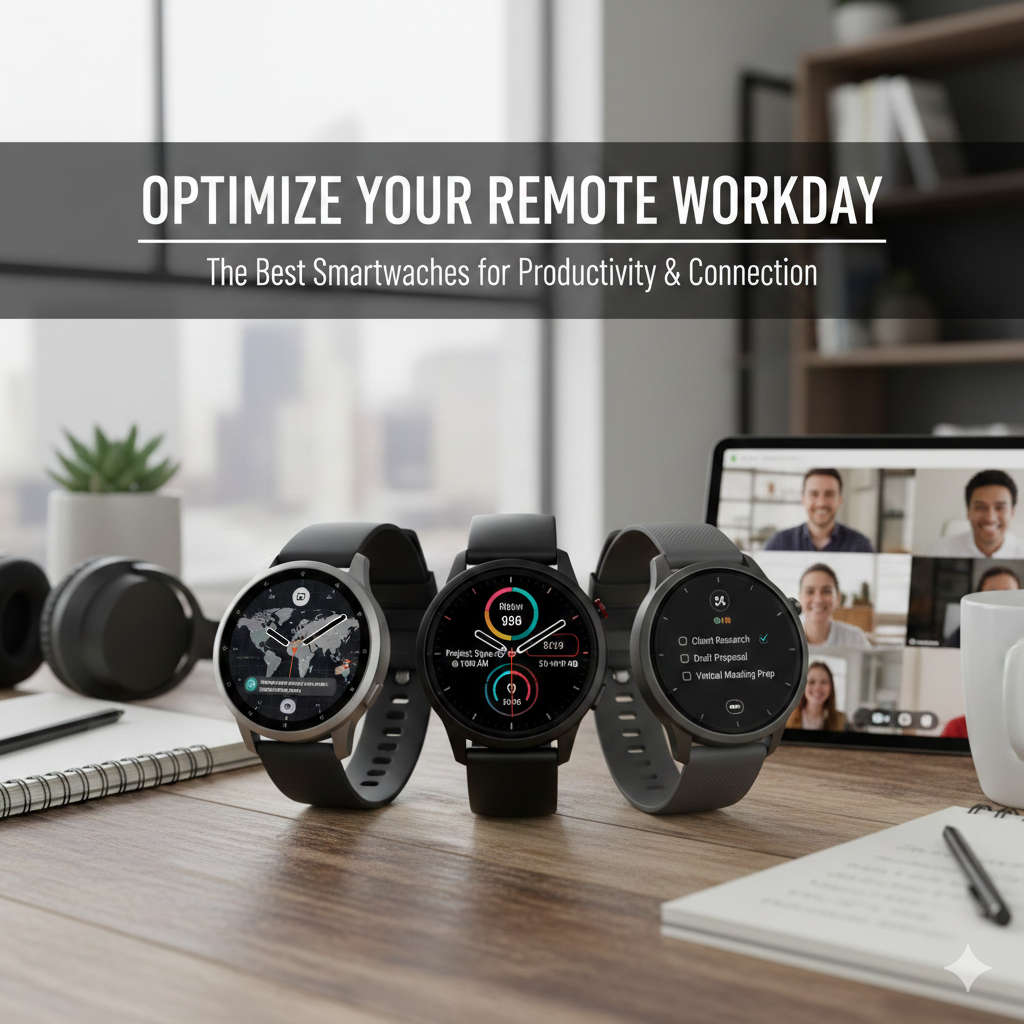
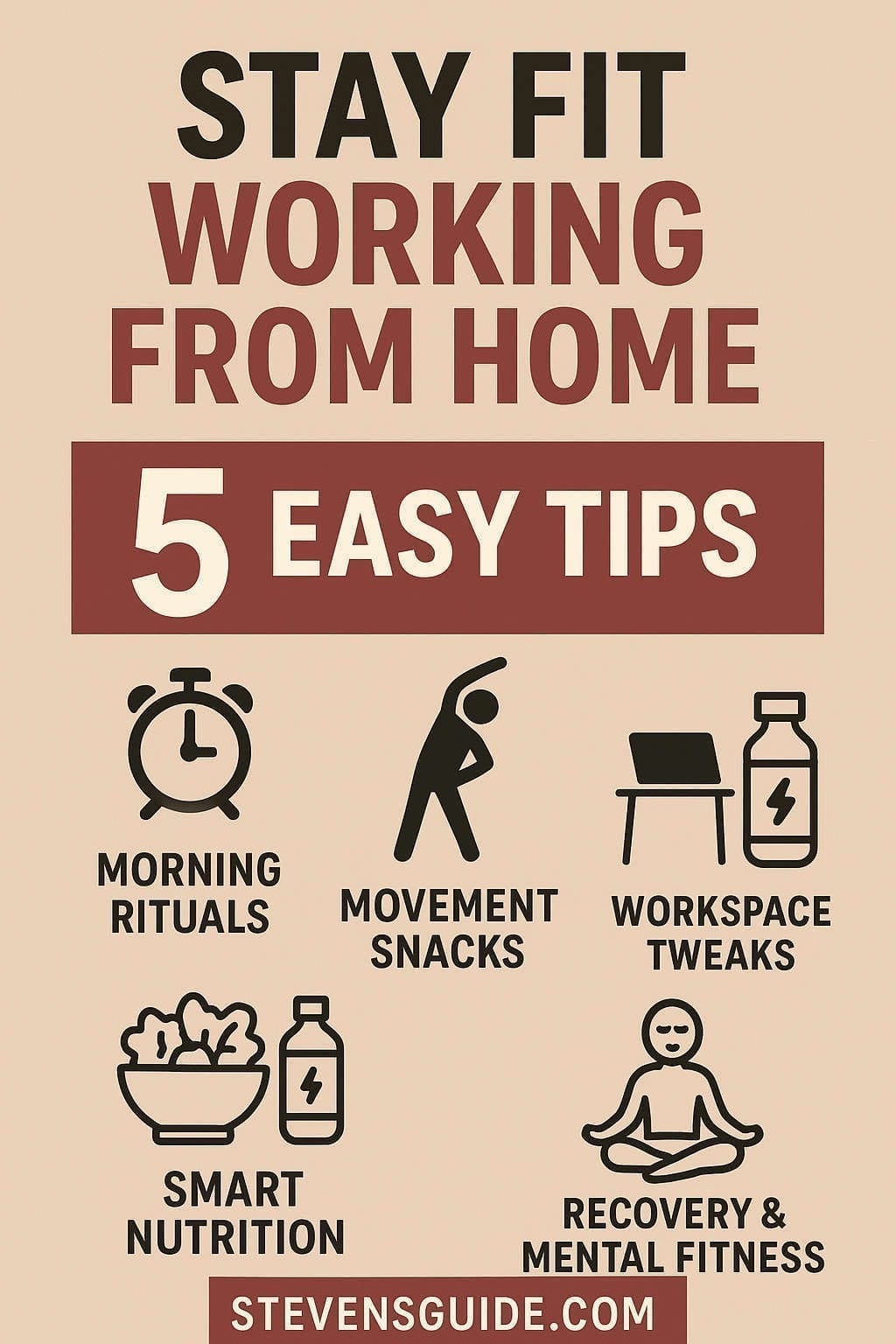
Remote work has become a new normal for millions of people around the world. While working from home offers comfort, freedom, and flexibility, it also introduces hidden health challenges that many workers overlook. Long periods of sitting, irregular routines, blurred boundaries between work and personal life, reduced physical activity, increased screen time, and constant digital distractions can take a toll on your physical and mental well-being.
This is where a health-focused smartwatch can make a tremendous difference.
Today’s smartwatches do far more than show notifications. They monitor your sleep, track heart health, encourage healthier habits, help with stress management, and provide gentle nudges to get up, move, stretch, hydrate, breathe, and take breaks. For remote workers, these reminders function like a supportive wellness coach strapped to your wrist—subtle enough to avoid interrupting your workflow, yet helpful enough to keep your health on track.
This comprehensive guide explores the best smartwatches for remote workers, the features that matter most, practical tips for using a smartwatch effectively, and how these devices can transform your daily routine into a healthier, more balanced lifestyle.
Working remotely often means spending hours at a desk without realizing how much time has passed. Without traditional cues—like walking to meetings, commuting, or chatting with coworkers—our bodies stay sedentary far longer than they should.
Here’s how smartwatches help you combat the hidden risks of remote work:
1. They Prevent Excessive Sedentary Time
Smartwatches remind you to stand or move periodically. These micro-breaks improve posture, circulation, joint mobility, and energy levels.
2. They Track Sleep Patterns
Remote workers are notorious for having irregular sleep schedules. Smartwatches analyze your sleep stages and offer actionable insights to improve your rest and recovery.
3. They Monitor Stress and Heart Health
Challenging deadlines, long screen time, and multitasking can increase stress. Modern watches offer HRV tracking, breathing exercises, ECG, and alerts when your stress levels spike.
4. They Encourage Daily Activity
Whether you’re trying to close activity rings, hit a daily step goal, or complete a guided workout, smartwatches keep you accountable and motivated.
5. They Help Maintain Work-Life Boundaries
With features like customizable notifications, Do-Not-Disturb schedules, mindful reminders, and deep work modes, you can create healthier digital boundaries.
6. They Support Productivity Without Stress
Smart timers, alarms, to-do lists, voice assistants, and task reminders help remote workers stay organized without using multiple apps or opening their phones.
Key Features Remote Workers Should Prioritize
Not all smartwatches are created equal. If your goal is to remain healthy and productive while working remotely, here’s what matters most:
1. Sedentary Alerts & Activity Tracking
Movement reminders encourage short breaks to stretch, walk, or reset your posture.
2. Accurate Heart-Rate Monitoring & HRV Insights
Heart rate and heart rate variability data provide valuable information about your stress levels, recovery, and cardiovascular health.
3. Sleep Tracking & Coaching
Look for watches that provide:
Sleep stage insights
Personalized nighttime recommendations
Wake-up alarms that match your sleep cycle
4. Stress Management Tools
Guided breathing sessions, stress alerts, body-energy tracking, mindfulness apps, and recovery metrics are extremely beneficial.
5. Reliable Battery Life
Longer battery life means fewer interruptions. Some watches last a day, others a week or more.
6. Comfort and Wearability
Lightweight bodies and soft bands matter when wearing the device 24/7.
7. Productivity Features
Timers, calendar integration, hands-free commands, and notification filtering are key for remote workers.
8. Health App Ecosystem
Companion apps should offer:
Clear visual graphs
Weekly summaries
Trend analysis
Goal suggestions
9. Compatibility With Your Phone
iPhone users generally get the best experience with Apple Watch. Android users benefit more from Pixel, Samsung, Garmin, or Fitbit models.
Best Smartwatches for Remote Workers Who Want to Stay Healthy
Below are the top smartwatch choices across different categories, based on accuracy, usability, comfort, wellness features, and overall balance for remote work lifestyles.
The Apple Watch line remains the gold standard for those invested in the Apple ecosystem. It combines top-tier health sensors with a refined user experience, powerful integrations, and a wide selection of wellness apps.
Why It’s Perfect for Remote Workers
Excellent stand reminders and activity rings encourage balanced daily movement.
Focus Modes help set boundaries during deep work—filtering distracting notifications automatically.
Sleep tracking, recovery data, and nighttime coaching help regulate your schedule.
Apple Fitness+ offers a large library of guided mini-workouts ideal for quick breaks.
Garmin’s Venu lineup is ideal for remote workers who want deep health insights without sacrificing comfort or battery longevity. Known for its athletic DNA, Garmin offers precise tracking with a focus on recovery, stress, and body readiness.
Why Remote Workers Love It
Multi-day battery life (often 4–10 days).
Body Battery score tells you when you’re mentally and physically primed for work or need rest.
Great stress tracking and breathing exercises.
Clear, data-rich history of movement, sleep, and energy.
Health Features
Heart-rate tracking with advanced metrics
Stress and energy monitoring
Sleep scoring with detailed stages
Nap detection
Respiration tracking
Pros
Best battery life among mainstream choices
Exceptionally accurate health sensors
Great for individuals who want insights, not just reminders
Cons
Interface feels more fitness-oriented
Not as strong in third-party apps as Apple or Google
Fitbit’s Sense watches focus heavily on stress, lifestyle habits, and accessible coaching rather than complicated data. They are excellent for workers seeking balance and wellness rather than hardcore athletic tracking.
Why Remote Workers Benefit
Continuous stress monitoring helps you understand how work impacts your well-being.
Mindfulness, breathing sessions, and relaxation tools are excellent for mid-day resets.
Simple, friendly interface makes the data easy to digest.
Health Features
Skin temperature & stress sensors
Heart-rate & HRV tracking
Sleep score with personalized suggestions
Guided breathing and meditation
Pros
Best for beginners or non-technical users
Very strong stress and sleep insights
Lightweight and comfortable
Cons
Some premium insights require a subscription
Sensors are strong but the app ecosystem is smaller
The Pixel Watch family blends Google’s intuitive software with Fitbit’s health tracking. It’s stylish, compact, and feature-rich, especially for Android users.
Why It’s a Great Fit for Remote Work
Google Assistant allows hands-free timers, reminders, and task management.
Fitbit integration gives trustworthy health tracking.
Calendar and Gmail integration increase organization without touching your phone.
Smart notification filtering keeps your wrist distraction-free.
Samsung’s Galaxy Watch line is an excellent all-rounder with a gorgeous display, great health monitoring, and strong Wear OS functionality.
Why Remote Workers Love It
Bright display makes notifications and health stats easy to read.
Solid activity tracking and in-built stretching guides.
Useful sleep insights that integrate well with Samsung Health.
Great for Android users who want a premium experience.
Health Features
Sleep scoring and coaching
Stress detection with breathing exercises
ECG and heart-rate tracking
Body composition analysis
Pros
Affordable compared to some competitors
Strong health monitoring across categories
Smooth and intuitive interface
Cons
Best experience on Samsung phones
Battery life varies by model
Amazfit & Other Budget Smartwatches (Best for Health on a Budget)
If you want core health tracking without paying for premium features, Amazfit and similar budget models offer excellent value. They are lightweight, long-lasting, and surprisingly capable.
Why Remote Workers Choose Them
Very long battery life (7–14+ days).
Solid step, sleep, and heart-rate monitoring.
Simple interface with little learning curve.
Extremely comfortable for 24/7 wear.
Health Features
Activity reminders
Sleep stage tracking
Heart rate & stress monitoring
Menstrual and temperature tracking (on some models)
Pros
Fantastic battery life
Highly affordable
Plenty of health features
Cons
Sensors are less accurate than premium models
App ecosystems are limited
Lacks advanced wellness features
How Remote Workers Can Use Smartwatches to Build Healthy Routines
Buying a smartwatch is only the first step. The real transformation comes from how you use it daily.
Here’s a practical routine remote workers can adopt:
Morning Routine
Check overnight sleep score and readiness level.
Do a 3–5 minute breathing or stretching routine.
Set your main focus sessions using timers or Focus Mode.
Mid-Morning Micro-Break
When the watch nudges you to stand, get up immediately.
Do 1–2 minutes of neck, shoulder, and wrist mobility stretches.
Lunch-Hour Activity
Take a 10–20 minute walk or do a guided workout.
Track your session to keep motivation high.
Afternoon Reset
Perform a short stretching or breathing exercise when energy dips.
Evening Wind-Down
Switch your watch into a sleep routine or bedtime mode.
Use guided breathing or a meditation session.
Weekly Check-In
Review key metrics:
Sleep consistency
Step trends
Stress levels
Overall activity
Adjust your schedule based on what you learn.
Tips for Getting the Most Out of Your Smartwatch
1. Customize Your Notifications
Mute non-essential alerts. Allow only:
Meeting reminders
Call/text alerts from important contacts
Health notifications
This reduces digital overload throughout the day.
2. Use Health Metrics Thoughtfully
Instead of obsessing over daily numbers, look at weekly trends:
Are you sleeping better?
Are you moving more frequently?
Are stress levels decreasing over time?
3. Combine Movement With Work Tasks
Pair movement with:
Brainstorming
Phone meetings
Creative thinking
Your body moves, your mind refreshes.
4. Use Timers for Productivity
The Pomodoro method pairs brilliantly with smartwatch timers.
5. Treat Micro-Workouts as Non-Negotiable
Use the watch’s guided sessions to:
Stretch
Strengthen
Walk
Reset your posture
Just 3–5 minutes makes a huge difference.
How Smartwatches Support Mental Health for Remote Workers
Smartwatches are not only physical-health tools—they’re also powerful mental-wellness companions.
1. Mindfulness Reminders
Quick breathing sessions calm the nervous system.
2. Stress Alerts
Subtle nudges help you recognize rising stress before burnout hits.
3. Sleep Quality Insights
Healthy sleep supports emotional resilience.
4. Encouraging Healthy Boundaries
With customized work modes, you can disconnect after hours without guilt.
What to Consider Before Buying a Smartwatch
Phone Compatibility
Apple Watch works only with iPhone.
Most other watches work best with Android.
A device you wear all day must fit your wrist well.
Subscription Fees
Some platforms may require premium subscriptions for advanced features.
Conclusion: The Right Smartwatch Can Improve Your Entire Remote Work Lifestyle
Remote work can be freeing, but it’s easy to slip into unhealthy routines without realizing it. A great smartwatch helps you stay mindful, energized, active, and balanced throughout your work-from-home day. It becomes a supportive partner in creating habits that protect your long-term health—without adding more stress or friction.
If you use an iPhone, an Apple Watch provides the most seamless experience.
If you want long battery life and deep health insights, Garmin is unmatched.
If stress management and simplicity matter most, Fitbit shines.
If you prefer Android productivity, the Pixel or Samsung watches deliver excellent value.
If you’re on a budget, Amazfit gives you the essentials without compromise.
Choose the watch that fits your lifestyle, wear it consistently, and use its tools intentionally. Over time, those small reminders and subtle nudges will help you build a healthier, happier, and more sustainable remote-work routine.