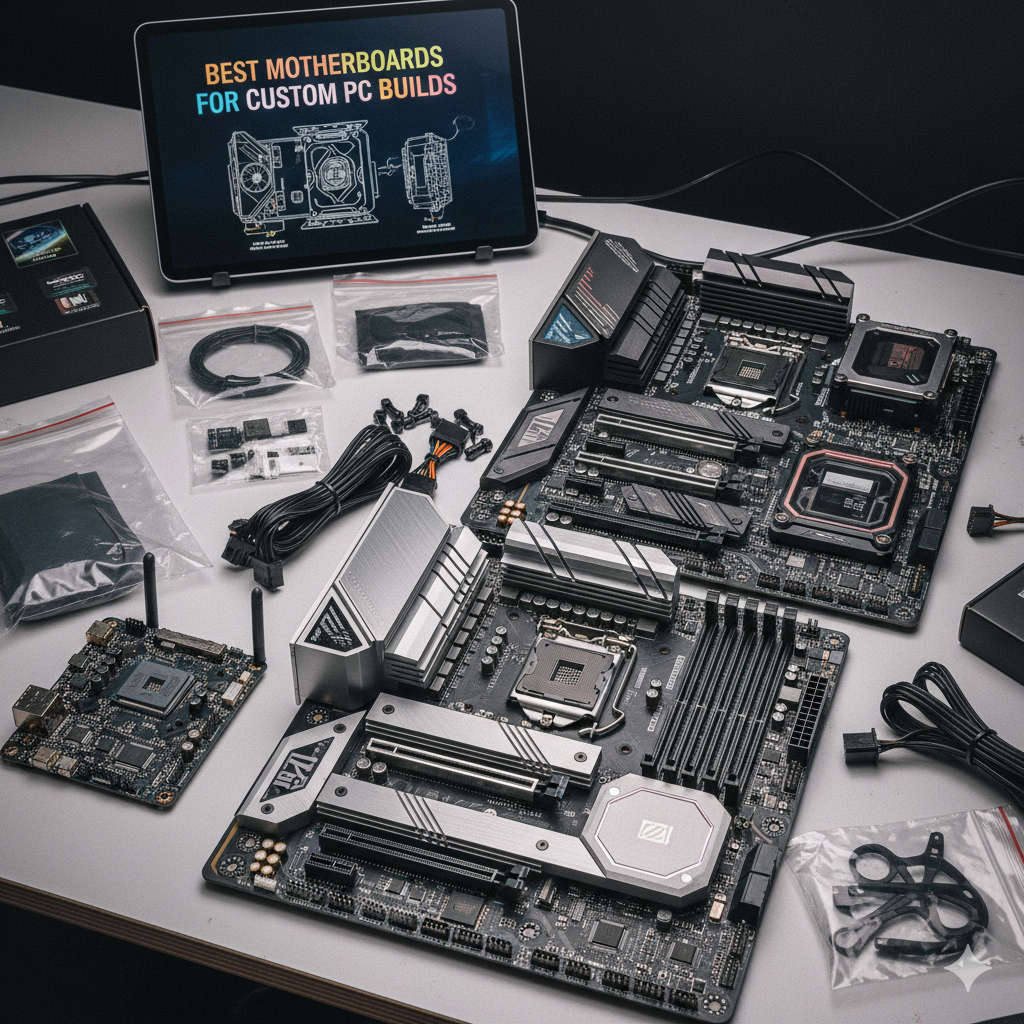
If you’re planning to build your own custom PC in 2025, there’s one component you can’t afford to overlook — the motherboard. It’s the foundation that connects and controls every piece of hardware inside your computer. Whether you’re a gamer, content creator, or professional looking for a reliable workstation, choosing the right motherboard will determine your PC’s stability, expandability, and overall performance.
This comprehensive guide explores the best motherboards for custom PC builds, covering Intel and AMD options, budget to premium tiers, and the latest features you should look for before buying. By the end, you’ll know exactly which board fits your needs — and your budget.
While the CPU and GPU usually steal the spotlight, the motherboard quietly defines your PC’s true potential. It determines what kind of processor you can install, how much memory your system supports, how fast your storage can run, and even how efficiently your PC handles heat and power.
Think of it as the spinal cord of your computer — every signal, instruction, and data packet flows through it. A poorly chosen motherboard can bottleneck an otherwise powerful build, while a great one can keep your system running smoothly for years.
Here are a few reasons why your motherboard choice is crucial:
Compatibility: Your CPU, memory, and graphics card all depend on the motherboard’s socket and chipset support.
Stability & Power Delivery: The VRM (Voltage Regulator Module) quality ensures consistent power for high-end CPUs or overclocking.
Expandability: More M.2 slots, PCIe lanes, and USB ports mean more room for future upgrades.
Cooling & Design: Modern boards have advanced cooling layouts, fan headers, and heatsinks to handle powerful hardware.
Connectivity: Features like Wi-Fi 7, 10Gb Ethernet, and Thunderbolt 4 can future-proof your PC.
Understanding Key Motherboard Features
Before diving into the best models, let’s go over a few key terms that often confuse new builders:
1. Chipset
The chipset is the control hub of your motherboard. It determines compatibility and features. For example:
Intel: Z890, Z790, B760 chipsets (newer = more advanced features)
This is the physical slot where your CPU fits. Intel’s latest processors use LGA 1851 or LGA 1700, while AMD’s newest chips use AM5. Always match your CPU to the correct socket.
3. VRM (Voltage Regulator Module)
A high-quality VRM ensures your CPU gets stable power. It’s especially important if you’re using a high-core processor or plan to overclock.
This determines how fast your GPU, storage drives, and expansion cards communicate with the system. PCIe 5.0 doubles the speed of PCIe 4.0 and is now common on mid- to high-end boards.
5. Form Factor
Motherboards come in different sizes:
ATX: Full-sized, most expansion slots.
Micro-ATX: Slightly smaller, fewer slots.
Mini-ITX: Compact, great for small builds.
6. Memory Support
Most 2025 motherboards support DDR5 RAM, which is faster and more efficient than DDR4. However, check your board’s maximum frequency and supported capacity before purchasing.
Best Motherboards for Custom PC Builds (2025 Edition)
Let’s explore the top-performing motherboards across different categories — from flagship powerhouses to budget-friendly champions.
If you’re building a top-tier gaming or workstation PC with the latest Intel processor, the ASUS ROG Maximus Z890 Hero is one of the best choices in 2025. ASUS has long been known for its refined BIOS, top-notch build quality, and gamer-centric design.
Key Features:
Socket: LGA 1851 (Supports 14th and next-gen Intel CPUs)
Chipset: Z890
Memory: Up to 192GB DDR5 at blazing-fast speeds
PCIe: Gen 5.0 x16 slot for GPU + multiple Gen 5 M.2 slots
Networking: Wi-Fi 7 + 5Gb Ethernet
USB: Extensive USB 4.0 / Thunderbolt 4 support
Build: 20+1 phase power delivery and massive heatsinks
Why It’s Great:
This board is built for enthusiasts. You get unmatched power delivery, robust overclocking tools, and more ports than most users will ever need. It’s perfect for gaming, streaming, and heavy multitasking setups.
Best For:
Gamers, streamers, and creators who want the absolute best Intel platform without compromise.
For AMD fans, the ROG Crosshair X870E Hero takes the crown. Designed for Ryzen 7000 and 8000 series CPUs, it delivers top-tier performance and next-gen expandability.
Key Features:
Socket: AM5
Chipset: X870E (Extreme)
Memory: Supports DDR5 up to 8000 MHz (OC)
PCIe: Gen 5.0 support for GPU and storage
Networking: Dual 2.5Gb LAN + Wi-Fi 7
Storage: Up to five M.2 slots (two Gen 5)
Design: Reinforced PCIe slots, sleek RGB accents, and extensive cooling
Why It’s Great:
It’s one of the most advanced AMD motherboards ever built. Perfect for overclockers and power users who want the best VRM and connectivity possible.
Best For:
High-end gaming, video editing, 3D rendering, and future-proof builds.
If you need a motherboard packed with every conceivable port and connectivity feature, the MSI MEG Z890 ACE is an outstanding pick. It’s a dream board for creators, professionals, and tech enthusiasts who rely on fast external storage or multiple displays.
Key Features:
Chipset: Intel Z890
Socket: LGA 1851
Networking: Dual 10Gb LAN + Wi-Fi 7
Ports: Dual Thunderbolt 4 / USB4 Type-C
Storage: Four M.2 slots (Gen 5 and Gen 4)
Audio: Premium ESS Sabre DAC
Design: Sleek black-gold finish with RGB accents
Why It’s Great:
It’s the ultimate choice for multitaskers and creative professionals. You can connect several high-speed storage drives, multiple monitors, cameras, and Thunderbolt accessories with ease.
Best For:
Video editors, 3D artists, engineers, and anyone who needs high-speed connectivity and superior I/O options.
If you want a reliable AMD motherboard that balances price, performance, and durability, the ASUS TUF B650-PLUS Wi-Fi is a fantastic midrange option. It offers all the essential features of AM5 without the premium price tag.
Key Features:
Socket: AM5
Chipset: B650
Memory: DDR5 up to 6400 MHz (OC)
Networking: Wi-Fi 6 + 2.5Gb LAN
Storage: Dual PCIe 5.0 M.2 slots
Design: Military-grade components and reinforced slots
Why It’s Great:
It’s built tough — literally. The TUF series is known for durability and efficient power delivery. You also get an intuitive BIOS, strong cooling options, and great overclocking potential.
Best For:
Gamers and everyday users looking for high performance without overspending.
For Intel users who want a dependable midrange option, the Gigabyte Z790 AORUS Elite AX ICE strikes the perfect balance between affordability and performance.
Key Features:
Socket: LGA 1700 (supports 12th–14th Gen CPUs)
Memory: DDR5 support up to 7600 MHz
Networking: Wi-Fi 6E + 2.5Gb LAN
Storage: Four M.2 slots (Gen 4)
Design: White aesthetic, ideal for themed builds
Why It’s Great:
The Elite AX ICE delivers everything you need for gaming and productivity. It’s sleek, stable, and offers excellent cooling. Its BIOS is user-friendly, and it pairs well with midrange or even high-end Intel CPUs.
Best For:
Mainstream gamers, productivity users, and anyone wanting a stylish white build.
ASRock has been making waves with its affordable yet feature-rich boards. The X870 Riptide is one of the best entry-level AM5 motherboards that still supports PCIe 5.0 and DDR5.
Key Features:
Chipset: X870
Memory: DDR5 up to 6400 MHz
PCIe: Gen 5.0 GPU and M.2 support
Networking: Wi-Fi 6E + 2.5Gb LAN
Audio: Nahimic Audio support
Why It’s Great:
You get all the essentials of the AM5 platform without paying a premium. It’s a fantastic board for first-time builders or budget gaming rigs.
Best For:
Budget-conscious gamers who still want next-gen compatibility.
If you love compact builds and small form factor PCs, the ASUS ROG Strix Z790-I Gaming Wi-Fi is one of the most powerful Mini-ITX motherboards ever made.
Key Features:
Form Factor: Mini-ITX
Socket: LGA 1700
Chipset: Z790
Memory: DDR5 up to 8000 MHz
Networking: Wi-Fi 7 + 2.5Gb Ethernet
Cooling: Compact VRM heatsinks and heatpipe design
Why It’s Great:
It packs flagship-level power into a tiny footprint. Perfect for gamers who want a small but mighty build that fits in a mini case.
Best For:
SFF enthusiasts, LAN party setups, and stylish compact PCs.
How to Choose the Right Motherboard for Your Build
With so many options on the market, choosing the right motherboard can feel overwhelming. Here’s a simple checklist to help you narrow down your choices:
1. Match Your CPU First
Start with your CPU — your motherboard must have the correct socket and chipset. For example:
Intel Core Ultra or 14th Gen → Z890 / Z790 chipset
AMD Ryzen 7000 / 8000 → X870E / X670E / B650
2. Consider Your Use Case
Gaming: Focus on VRM quality, PCIe 5.0 GPU slot, and DDR5 support.
Content Creation: Prioritize USB/Thunderbolt ports, high-speed storage, and strong networking.
Office / General Use: Look for affordable boards with reliable performance and built-in Wi-Fi.
3. Plan for the Future
A motherboard isn’t something you replace often. Get one that supports upcoming CPU generations, PCIe 5.0, and at least DDR5 memory.
4. Pay Attention to I/O Ports
Count how many USB, HDMI, or audio ports you need. If you use multiple monitors or external drives, make sure your board supports it.
5. Cooling and Layout
Make sure your case and cooling solution fit comfortably with your motherboard. High-end boards often come with multiple fan headers and M.2 heatsinks.
Common Mistakes to Avoid When Buying a Motherboard
Ignoring BIOS Compatibility:
Some boards require BIOS updates for new CPUs. Always check before installing.
Buying a Cheap VRM Board for a High-End CPU:
Budget motherboards can overheat or throttle when paired with powerful processors.
Not Checking Case Size:
Don’t accidentally buy an ATX board for a Mini-ITX case — they won’t fit!
Overlooking PCIe Lane Sharing:
Using multiple M.2 drives may disable some SATA or PCIe slots. Read the manual carefully.
Skipping on Future-Proof Features:
Even if you don’t need PCIe 5.0 now, you might in a few years — plan ahead.
BIOS, Updates, and Firmware Tips
Motherboard performance improves significantly through BIOS and firmware updates. Manufacturers frequently release updates that:
Add support for new CPUs
Improve memory stability
Fix bugs and enhance overclocking
Always update your BIOS safely using the manufacturer’s official utility or USB Flashback feature (if available). Never interrupt a BIOS update — it can corrupt the firmware.
Future Trends in Motherboards (2025 and Beyond)
The world of PC hardware evolves rapidly. Here are a few trends shaping the next generation of motherboards:
Wi-Fi 7 & 10Gb Ethernet becoming standard on high-end boards.
PCIe 6.0 expected to debut within the next two years, doubling bandwidth again.
AI-assisted BIOS tuning, automatically optimizing performance and cooling.
Enhanced RGB control software for seamless integration across components.
More power-efficient VRM designs for better thermal control and longer lifespan.
As technology advances, your motherboard will continue to serve as the command center connecting all these innovations together.
Quick Recommendations by Category
Category
Motherboard
Ideal For
Best Overall Intel
ASUS ROG Maximus Z890 Hero
High-end gaming & overclocking
Best Overall AMD
ASUS ROG Crosshair X870E Hero
Ryzen enthusiasts & creators
Best Connectivity
MSI MEG Z890 ACE
Content creators & professionals
Best Midrange AMD
ASUS TUF Gaming B650-PLUS
Balanced gaming builds
Best Midrange Intel
Gigabyte Z790 AORUS Elite AX ICE
Reliable daily performance
Best Budget AMD
ASRock Phantom Gaming X870 Riptide WiFi
Affordable gaming builds
Best Mini-ITX
ASUS ROG Strix Z790-I Gaming Wi-Fi
Compact, high-performance PCs
Final Thoughts: Building Your Perfect Custom PC
Choosing the best motherboard for your custom PC build is not just about buying the most expensive option — it’s about selecting the right one for your goals. A balanced, well-matched motherboard ensures:
Stable and efficient power delivery
Future upgrade options
Seamless connectivity
Longevity and reliability
If you’re going all-out with a flagship CPU and GPU, opt for high-end boards like the ASUS ROG Maximus Z890 Hero or Crosshair X870E Hero. For midrange or budget-friendly builds, the ASUS TUF B650-PLUS or Gigabyte AORUS Elite AX deliver incredible value. And if you’re building a compact system, the ROG Strix Z790-I is small but mighty.
A well-chosen motherboard makes your build more enjoyable, more stable, and ready for whatever upgrades the future brings.
Frequently Asked Questions (FAQ)
1. How long should a good motherboard last?
A quality motherboard can last 5–8 years or more with proper care and regular BIOS updates.
2. Should I buy a motherboard with Wi-Fi built-in?
If you plan to use wireless connectivity, yes. Integrated Wi-Fi 6E or 7 offers excellent speeds and stability.
3. Is PCIe 5.0 worth it?
PCIe 5.0 is future-proofing. While few GPUs need it today, Gen 5 NVMe drives are already showing major performance gains.
4. Can I use DDR4 RAM in a DDR5 motherboard?
No. DDR4 and DDR5 use different slots and are not cross-compatible.
5. How much should I spend on a motherboard?
Budget build: $120–$180
Midrange build: $200–$300
High-end / flagship: $400–$700+
Final Word
The best motherboards for custom PC builds in 2025 combine performance, expandability, and long-term reliability. Whether you’re crafting a compact gaming beast or a workstation powerhouse, investing in the right board ensures your system runs efficiently and stays future-ready.
Take your time, research your components, and always choose a motherboard that supports both your current performance goals and your future upgrade plans. A great build doesn’t just start with a fast CPU — it starts with a rock-solid motherboard at its core.