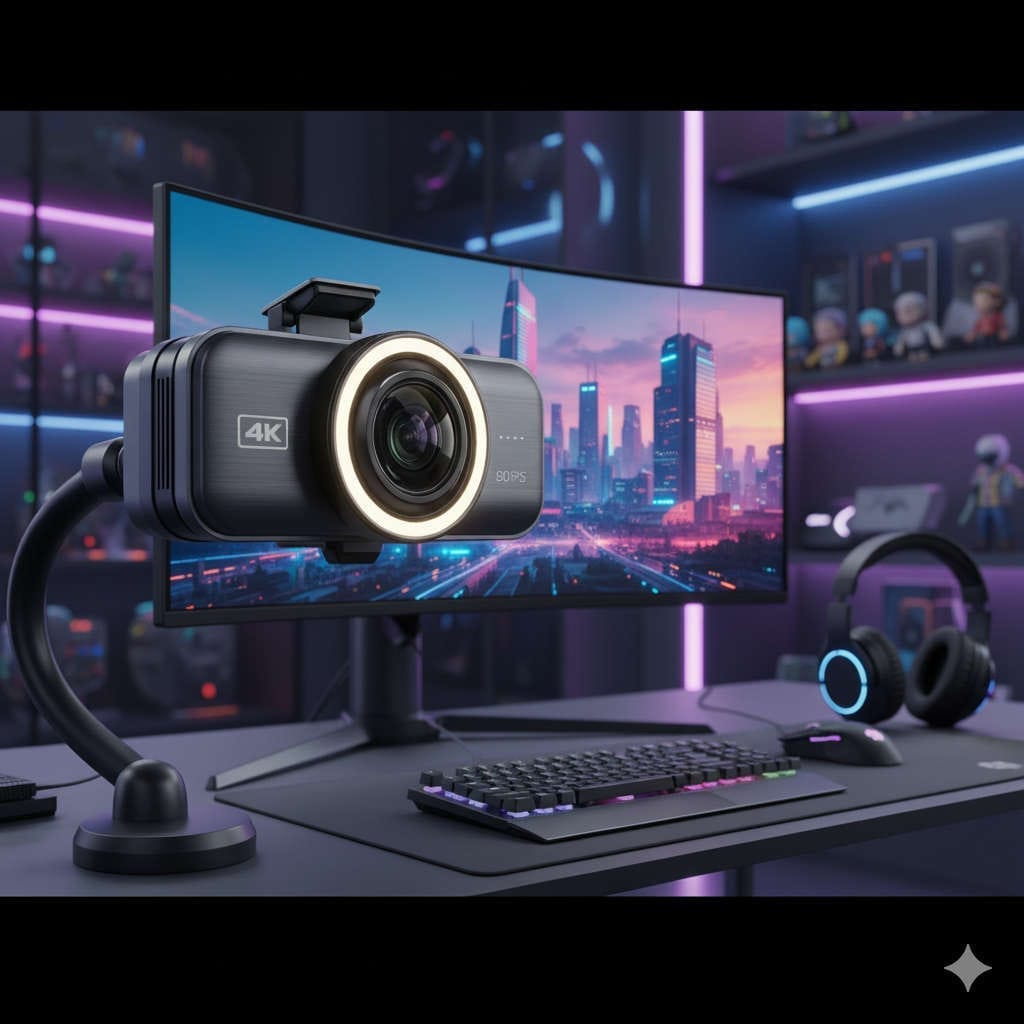
When you turn on your camera — whether for streaming, video meetings, or content creation — you want to look your best. A grainy, dim video can ruin even the most engaging stream. That’s why investing in the best 4K webcam with a ring light and privacy shutter is one of the smartest upgrades you can make for your setup.
In 2026, high-definition visuals are the norm, not the exception. Viewers expect crisp, clear, and well-lit videos. A 4K webcam paired with a built-in light and privacy shutter not only enhances your on-camera quality but also makes your workflow easier and safer.
This complete guide will help you understand:
- What makes a great 4K webcam
- Why lighting and privacy shutters are must-have features
- The top webcams worth buying in 2026
- How to set up and optimize your camera and lighting for a professional look
Let’s dive right in.
Why You Need a 4K Webcam in 2026
Video quality is more important than ever. Whether you’re a gamer streaming on Twitch, a remote professional attending daily meetings, or a YouTuber recording content, 4K webcams deliver that extra level of detail that sets you apart.
What 4K Really Means
A 4K webcam captures video at 3840 x 2160 resolution — four times the pixels of standard 1080p. The result is a sharper, more lifelike image with incredible detail, depth, and clarity.
The Real Advantages of a 4K Webcam
- Sharper visuals: Perfect for product demos, makeup tutorials, or any situation where details matter.
- Better color accuracy: Richer tones and improved dynamic range make your visuals pop.
- Editing flexibility: Record in 4K and crop later without losing quality.
- Future-ready: Streaming platforms like YouTube, Facebook Live, and Zoom now support higher resolutions.
If you’re serious about professional streaming or video content creation, 4K is no longer a luxury — it’s a necessity.
Why Lighting Matters More Than Resolution
You could have the most advanced 4K webcam in the world, but without good lighting, your image will still look dull. Lighting is what transforms a webcam feed from average to cinematic.
What Makes Ring Lights So Effective
A ring light produces soft, even lighting that eliminates harsh shadows and highlights your features naturally. It surrounds your face with balanced brightness, creating flattering skin tones and bright, lively eyes.
Benefits of using a ring light:
- Enhances skin appearance and smooths out imperfections
- Eliminates unflattering shadows
- Reduces eye strain by providing consistent illumination
- Makes your video feed look professionally lit even in dark rooms
While many 4K webcams now include built-in lights, external ring lights are still stronger and more flexible. However, if you prefer an all-in-one solution, some webcams combine lighting and camera technology beautifully.
The Importance of a Privacy Shutter
In a world where we spend most of our time online, privacy and security can’t be overlooked. Even the most cautious users can feel uneasy knowing their camera could be accessed remotely.
A privacy shutter is your first line of defense. It’s a simple, physical cover that slides over your webcam lens when not in use, ensuring complete peace of mind.
Why You Should Always Have One
- Protects against hackers or accidental activation
- Keeps dust and fingerprints off the lens
- Lets you instantly disconnect visually without unplugging your webcam
Some webcams include built-in shutters, while others combine both hardware privacy covers and LED status lights, so you always know when the camera is active.
What to Look for in the Best 4K Webcam for Streaming
Before you make a purchase, here are the most important features you should consider:
1. True 4K Resolution
Check that the webcam captures native 4K video (3840 x 2160), not just upscaled 1080p. Native 4K produces sharper and cleaner visuals.
2. Frame Rate
A minimum of 30 fps at 4K or 60 fps at 1080p ensures smooth motion, especially important for gaming and live streaming.
3. Autofocus & Exposure Control
A good webcam should adjust quickly to movement and light changes without hunting or lag. Look for models with AI-driven autofocus and HDR for the best dynamic range.
4. Field of View (FOV)
Depending on your needs, you may want a wide FOV (for group calls or room setups) or a narrower one (for solo streaming). The ideal range is between 70°–90°.
5. Built-in Lighting
Integrated LED lighting is a huge plus for low-light environments. Adjustable brightness helps you fine-tune your image instantly.
6. Microphone Quality
Webcams with dual noise-canceling microphones can save you from needing an external mic, especially for calls and casual streams.
7. Privacy Cover
A physical shutter is a must-have for anyone concerned about privacy and data security.
8. Software Customization
Check if the webcam includes software that lets you adjust exposure, contrast, saturation, and zoom. Fine-tuning your image helps achieve consistent quality across sessions.
The Best 4K Webcams with Ring Light and Privacy Shutter in 2026
After testing and analyzing performance, quality, and usability, here are the top 4K webcams that deliver on all fronts — image clarity, lighting, audio, and security.
1. PixelForge 4K Webcam for PC with Microphone & Light & Privacy Cover
The PixelForge 4K Webcam stands out as one of the most balanced all-in-one solutions for 2026. Designed specifically for streamers, remote workers, and creators, it combines crystal-clear 4K resolution, built-in lighting, and a physical privacy cover in one sleek package.
Its integrated LED ring light provides adjustable brightness levels, giving you a soft, professional glow even in low light. The dual noise-reduction microphones ensure your voice sounds crisp and natural, while AI-powered autofocus keeps you sharp and well-exposed.
Key Features:
- True 4K Ultra HD resolution at 30fps
- Built-in adjustable LED ring light with touch control
- Dual noise-canceling microphones
- AI auto-framing and exposure
- Plug-and-play via USB 3.0
- Physical privacy shutter for full security
Why We Love It:
PixelForge delivers everything in one device — no need for separate lighting or covers. It’s perfect for professionals who want a clean, minimal setup without sacrificing quality.
Best for: Streamers, business professionals, and creators who want an all-in-one, clutter-free webcam solution.
2. Logitech Brio Ultra HD Webcam
A classic favorite, the Logitech Brio remains a top-tier choice for its stunning 4K visuals, HDR support, and wide compatibility with streaming platforms. It features multiple FOV options and excellent low-light performance.
Highlights:
- 4K Ultra HD at 30fps
- Adjustable FOV (65°, 78°, 90°)
- RightLight 3 with HDR for perfect exposure
- Optional privacy shutter included
Best for: Professionals and streamers who want a proven, high-quality webcam with flexible viewing angles.
3. Insta360 Link 4K AI Webcam
The Insta360 Link takes webcam intelligence to the next level. It’s essentially a miniature 4K gimbal camera that tracks your movement smoothly. It follows you automatically, ensuring you’re always centered in the frame.
Highlights:
- 4K Ultra HD with AI tracking
- Gesture controls for zoom and focus
- HDR and noise reduction
- Lens automatically points downward for privacy
Best for: Educators, presenters, and active streamers who move around during their sessions.
4. OBSBOT Tiny 2 4K Webcam
This AI-powered webcam uses a large 1/1.5” CMOS sensor to deliver exceptional clarity and natural color reproduction. Its automatic framing and voice-tracking make it a favorite for professionals and influencers.
Highlights:
- 4K 60fps capture
- Advanced AI auto-framing and HDR
- Voice and gesture control
- Privacy gesture to turn off camera
Best for: Content creators who need studio-grade clarity and AI tracking features.
5. AVerMedia PW515 4K Streaming Webcam
Designed specifically for live streamers, the AVerMedia PW515 offers superb image quality and reliable performance. Its ultra-wide FOV and built-in shutter make it practical for group settings and solo creators alike.
Highlights:
- 4K30 capture
- 100° wide FOV
- Built-in privacy shutter
- Advanced software for manual controls
Best for: Streamers who need flexibility and full control over image settings.
Top Ring Lights to Pair with Your Webcam
If your webcam doesn’t include a light — or you want more control — consider these reliable external lighting options.
Elgato Ring Light
Designed for creators, the Elgato Ring Light offers dimmable brightness, adjustable color temperature, and Wi-Fi control. It’s ideal for long streaming sessions.
Neewer 18-Inch LED Ring Light Kit
A budget-friendly but powerful option that includes stands, filters, and adjustable brightness. Perfect for YouTubers or home studios.
Lume Cube Broadcast Lighting Kit
Compact yet bright, this lighting kit is great for tight spaces or minimalist setups. It delivers balanced light and professional results.
How to Set Up Your 4K Webcam and Ring Light for the Best Results
A great camera is only half the battle — your setup determines how professional your final video looks. Here’s how to optimize everything:
- Position Your Webcam:
Place it at or slightly above eye level to create a natural perspective. - Set Up Your Ring Light:
Center the ring light behind or around the webcam for even lighting. Start with 50% brightness and adjust based on your environment. - Adjust Lighting Temperature:
- Use warmer tones (3200K–4000K) for cozy, evening settings.
- Use cooler tones (5000K–5600K) for daytime or natural light balance.
- Tune Your Camera Settings:
Use the webcam’s software or OBS to adjust brightness, contrast, and white balance manually for consistent results. - Use a Dedicated Microphone:
Even if your webcam has built-in mics, a separate USB or XLR microphone will always deliver better sound clarity. - Test Before Going Live:
Record a short clip and review lighting, framing, and audio before you stream or join a meeting.
Pro Tips for Perfect Lighting and Framing
- Use soft lighting: Harsh light can exaggerate texture. If needed, add a diffuser.
- Mind the background: Keep it clean or use subtle LED accents for depth.
- Add a key and fill light: For more cinematic looks, use two lights at opposite angles.
- Frame yourself properly: Keep your head and shoulders centered with minimal headroom.
- Avoid window backlighting: Natural light can confuse your webcam’s exposure.
Privacy and Security Best Practices
Even the best webcams can be vulnerable if left uncovered or improperly configured. Always:
- Close your privacy shutter after use.
- Unplug your webcam if you’re away for long periods.
- Use software settings to disable the camera when inactive.
- Check for firmware updates regularly to maintain security.
The PixelForge 4K Webcam and similar models simplify this with physical covers and LED indicators that show when the camera is active.
4K vs 1080p: Which Should You Stream In?
If your internet and system can handle it, streaming in 4K offers the sharpest quality. But for many users, 1080p at 60fps is the ideal middle ground — smoother motion, less strain on bandwidth, and easier compatibility across streaming platforms.
A practical approach: record locally in 4K, then stream live in 1080p. You get the best of both worlds — high-quality archived footage and a seamless live experience.
Performance Optimization Tips
- Use hardware encoding (NVENC or QuickSync) for smoother streaming.
- Close background apps that may slow down your encoder.
- Balance your bitrate: For 4K streaming, aim for 13,000–20,000 kbps; for 1080p60, 6000–8000 kbps is ideal.
- Keep drivers updated: Webcam software updates often improve color, stability, and focus performance.
Accessories to Complete Your Setup
- Adjustable tripod or arm mount – for flexible camera placement.
- Cable organizers – to keep your desk tidy.
- Pop filter and mic arm – for clean, professional sound.
- Backdrop or green screen – for a polished look or virtual backgrounds.
- Softbox or fill light – adds depth and eliminates flat lighting.
Final Checklist Before You Stream or Record
- Clean your webcam lens.
- Turn on and adjust your ring light.
- Check framing and background composition.
- Test mic levels and webcam exposure.
- Open your privacy shutter.
- Do a quick recording test.
This simple habit ensures every stream looks and sounds professional.
Final Thoughts: The Perfect 4K Webcam Setup for 2026
Choosing the best 4K webcam with a ring light and privacy shutter comes down to three things — clarity, lighting, and security.
If you want an all-in-one, effortless experience, the PixelForge 4K Webcam for PC with Microphone & Light & Privacy Cover is the clear winner. It delivers everything you need — 4K quality, built-in lighting, crisp audio, and total privacy protection — in one elegant device.
For those who prefer customizable setups, pairing a 4K webcam like the Logitech Brio, Insta360 Link, or OBSBOT Tiny 2 with an Elgato Ring Light and a magnetic privacy shutter will give you studio-level visuals and flexibility.
Whichever route you choose, focus on what truly matters: great lighting, sharp video, and peace of mind. With the right setup, you’ll not only look amazing on camera but also feel confident and in control — every single time you go live.
You might also like,
- Best Monitors with Built-In Webcams (2025 Buyer’s Guide)
- Best Wireless Microphones for iPhone 15/16/17 & Android
- Best Translucent Slim Magnetic Case for iPhone 16 Pro Max
- Best MagSafe Power Banks for Travel and Airplane Carry-On
- Best Privacy Screen Protector for iPhone 17 & 17 Pro Max in 2025