When shopping for a new monitor, you might notice some models come with a built-in speaker system. It sounds convenient, right? No need for extra cables or desktop clutter—just plug in your monitor and get audio along with your visuals. But here’s the big question: Are built-in monitor speakers actually worth it?
In this comprehensive guide, we’ll break down everything you need to know about monitor speakers. From how they perform to who they suit best, we’ll help you make the right call for your needs—whether you’re a casual user, remote worker, gamer, or content creator.
What Are Built-In Monitor Speakers?
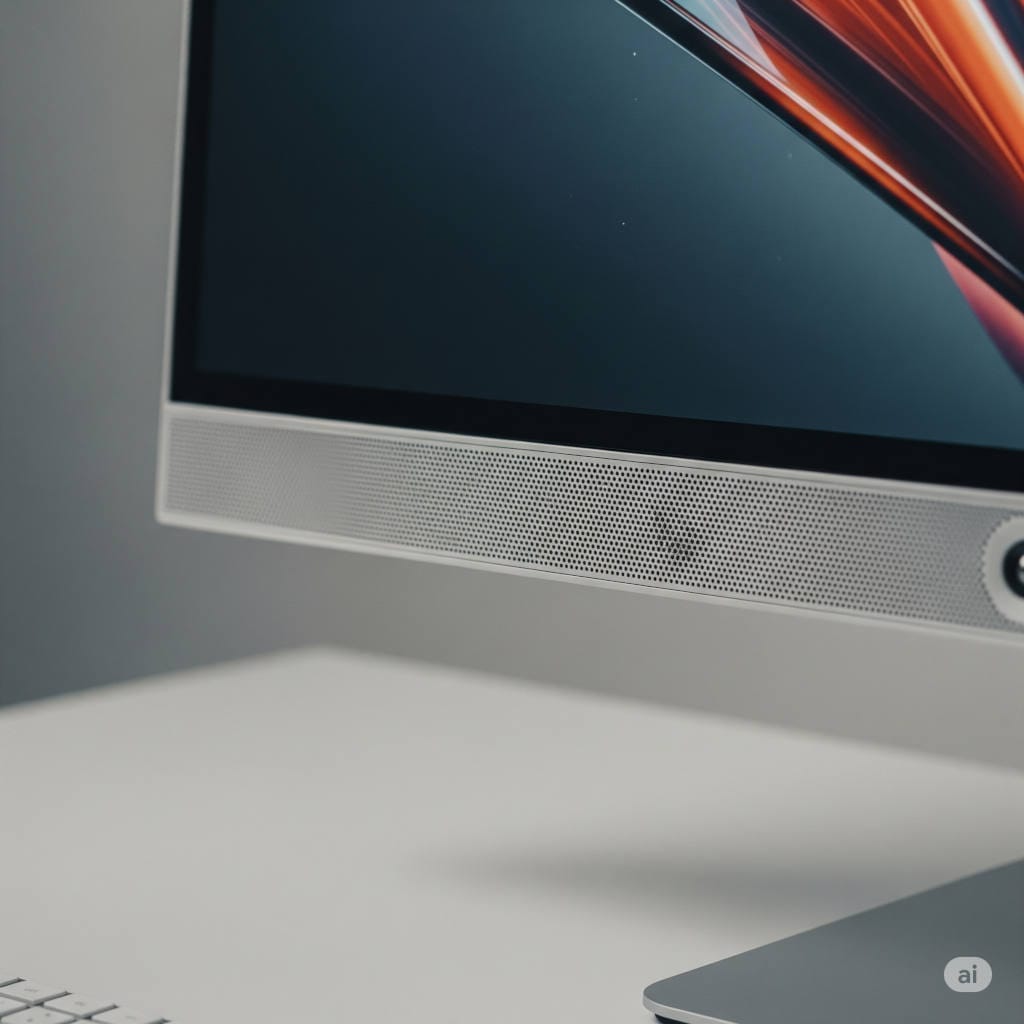
Built-in monitor speakers are exactly what they sound like—small speakers integrated directly into your computer monitor. They’re usually positioned on the back, sides, or bottom of the screen and are designed to deliver basic audio output.
Instead of using separate speakers or headphones, these internal speakers let you listen to sound directly from the monitor, often through an HDMI or DisplayPort connection.
Why Do Some Monitors Include Built-In Speakers?
Manufacturers include speakers in monitors for a few practical reasons:
- Convenience: Users don’t have to set up external audio gear.
- Space-saving: No need for bulky speaker systems or cables.
- Integrated experience: Useful for plug-and-play setups, especially in professional or institutional environments.
- Basic use cases: They cover fundamental needs like system alerts, Zoom calls, or watching casual content.
It’s easy to see the appeal: fewer components to manage, no need for audio setup, and a cleaner desk.
How Good Are Built-In Monitor Speakers Really?
This is the heart of the debate. On paper, built-in monitor speakers offer a simple solution. In practice, they tend to underwhelm in key areas. Let’s break it down:
1. Sound Quality
The most common complaint about monitor speakers is sound quality. Most built-ins lack bass, have limited dynamic range, and sound flat or tinny. This is largely due to:
- Small driver size
- Poor positioning
- Limited internal space for resonance
If you’re used to good headphones, soundbars, or even smartphone speakers, the downgrade can be noticeable.
2. Volume Output
Volume levels are typically modest. They’re fine in a quiet home office, but they might not cut it in a loud environment. Turn them up too much, and you’ll likely get distortion.
3. Stereo Separation and Immersion
Since the speakers are very close together, you don’t get much stereo separation. This limits spatial awareness in games and immersion in movies. Some monitors try to enhance this with software-based surround effects, but results vary.
4. Latency
With digital connections like HDMI or DisplayPort, latency is usually minimal. But in rare cases, syncing issues can arise—especially if drivers or firmware aren’t optimized.
Advantages of Built-In Monitor Speakers
Let’s be fair. Built-in speakers aren’t all bad. For the right user, they bring real benefits:
✅ 1. Plug-and-Play Simplicity
Just connect your monitor and you’re done. No need to worry about 3.5mm jacks, USB connections, or Bluetooth pairing.
✅ 2. Minimalist Setup
If you like a clean, wire-free desk, built-in speakers help reduce clutter. Ideal for small desks or shared spaces.
✅ 3. Saves Money (Sometimes)
If your audio needs are basic, you can skip buying external speakers or headphones. However, monitors with built-in speakers can sometimes be priced slightly higher.
✅ 4. Perfect for Light Tasks
Need audio for occasional YouTube videos, online classes, or video meetings? Built-in speakers do the job just fine.
Disadvantages of Built-In Monitor Speakers
Now, let’s look at the downsides—and there are several:
❌ 1. Poor Audio Quality
If you’re expecting clear vocals, deep bass, or rich stereo sound, you’ll be disappointed. Built-in monitor speakers simply aren’t designed for high-quality audio.
❌ 2. Inconsistent Performance
Not all monitors implement speakers the same way. Some bury them in hard-to-hear places or include drivers too weak to fill a small room.
❌ 3. Limited Customization
Most monitor speakers don’t allow EQ adjustments or audio presets. You’re stuck with whatever sound profile the manufacturer set.
❌ 4. Not Upgradable
Once you buy a monitor with poor speakers, you’re stuck with them. Unlike external speakers, you can’t swap or upgrade them.
Who Are Built-In Monitor Speakers Best For?
Built-in speakers can be a great fit—for the right type of user. Here’s who they work best for:
💼 Office Workers and Remote Professionals
If your audio needs revolve around Zoom calls, webinars, or background music while working, monitor speakers can be perfectly sufficient.
🏫 Students
Whether attending online classes or studying to lo-fi beats, students can benefit from simple setups with minimal gear.
🏢 Public or Shared Spaces
Monitors in lobbies, conference rooms, or shared kiosks benefit from built-in audio. It’s easy to manage, harder to misplace, and good enough for basic tasks.
🙃 Minimalist or Budget-Conscious Users
If you’re focused on essentials and don’t want the added cost or clutter of audio gear, integrated speakers are a convenient solution.
Who Should Avoid Built-In Monitor Speakers?
If you fall into one of the following categories, skip built-in speakers and invest in proper audio equipment:
🚀 Gamers
Precise audio cues are crucial in gaming. Footsteps, directionality, ambient effects—built-in speakers can’t deliver the clarity or spatial detail needed.
🎥 Video Editors and Content Creators
When editing or mixing, audio accuracy is vital. Built-in monitor speakers lack the fidelity needed for professional content creation.
🎵 Audiophiles and Music Enthusiasts
If you care deeply about sound quality, monitor speakers won’t satisfy your ears. You’ll want high-quality headphones, soundbars, or studio monitors.
🎤 Streamers and Podcasters
Professional audio is essential in this space. Monitor speakers not only underperform but may also cause echo or feedback during recording.
Do Any Monitors Have Good Built-In Speakers?
Yes, but they’re rare. Most monitors include speakers as a checklist feature rather than focusing on sound quality. That said, a few premium models stand out:
🌟 Apple Studio Display
This monitor includes a six-speaker system with force-canceling woofers and spatial audio. Easily one of the best audio experiences built into a display.
🌟 Eizo FlexScan and ColorEdge Series
These monitors, geared toward creative professionals, include better-than-average speakers, though they still fall short of true external audio gear.
🌟 Philips Brilliance Monitors
Some Brilliance series monitors feature 5W speakers that offer surprisingly clear output for basic tasks and video calls.
Still, even the best built-in monitor speakers are usually only “good enough” compared to dedicated solutions.
Better Alternatives to Monitor Speakers
If you care about audio at all, you’ll want to explore alternatives. Here are some of the best options:
🔊 1. External Computer Speakers
From affordable desktop speakers to premium studio monitors, this is the easiest way to get clear, loud, and rich sound. Brands like Logitech, Creative, Edifier, and Audioengine offer something for every budget.
🎧 Headphones and Headsets
Great for private listening and immersive experiences. Gamers and creators especially benefit from wired or wireless headphones with detailed sound profiles.
🎙️ 3. Soundbars
Soundbars designed for computer use are compact and often deliver better stereo separation and volume than built-in options.
🎹 Audio Interfaces + Studio Gear
For creators and musicians, an audio interface (like those from Focusrite or PreSonus) paired with studio monitors or high-end headphones delivers unbeatable clarity and control.
What to Consider Before Buying a Monitor With Speakers
If you’re still leaning toward getting a monitor with built-in speakers, here are a few tips:
✅ Check the Wattage
Look for at least 3W per channel. Lower wattage often means low volume and poor clarity.
✅ Speaker Placement Matters
Front-firing or downward-firing speakers tend to sound clearer than rear-facing ones.
✅ Read User Reviews
Specs rarely tell the full story. User feedback can reveal how speakers actually sound in real-world use.
✅ Know Your Primary Use
If audio is a key part of your workflow or entertainment setup, plan for external speakers regardless.
Final Verdict: Are Built-In Monitor Speakers Worth It?
Sometimes. If your needs are basic—video calls, online learning, casual video watching—then built-in monitor speakers can be worth it for the simplicity alone. They offer a clean, no-hassle solution.
But for anyone who values audio quality—gamers, streamers, editors, music lovers—built-in speakers just don’t measure up. You’ll get far better performance and satisfaction from a good set of headphones or external speakers.
Think of built-in monitor speakers as a backup option. They’re a convenient feature, not a full-fledged audio solution.
Quick Comparison Table
| Feature | Built-In Speakers | External Speakers |
|---|---|---|
| Audio Quality | Low to moderate | Moderate to high |
| Volume | Moderate | Adjustable (loud) |
| Setup | Plug-and-play | Needs space/setup |
| Portability | Integrated | Not portable |
| Best For | Office, casual use | Gaming, editing |
| Upgradeable | No | Yes |
Final Tips for Buyers
- Don’t pay extra just for built-in speakers unless they meet your needs.
- Always have a backup option like headphones if you’re unsure.
- Use reviews and demo videos to check real-world sound performance.
Need help choosing the right monitor or sound setup? Drop your question in the comments, and we’ll guide you through it. Happy listening!
You might also like,
- The Best Monitors for Photo Editing in 2025: A Complete Guide
- Top 5 Monitors with Built-In Speakers for Work, Play & Streaming (2025 Guide)