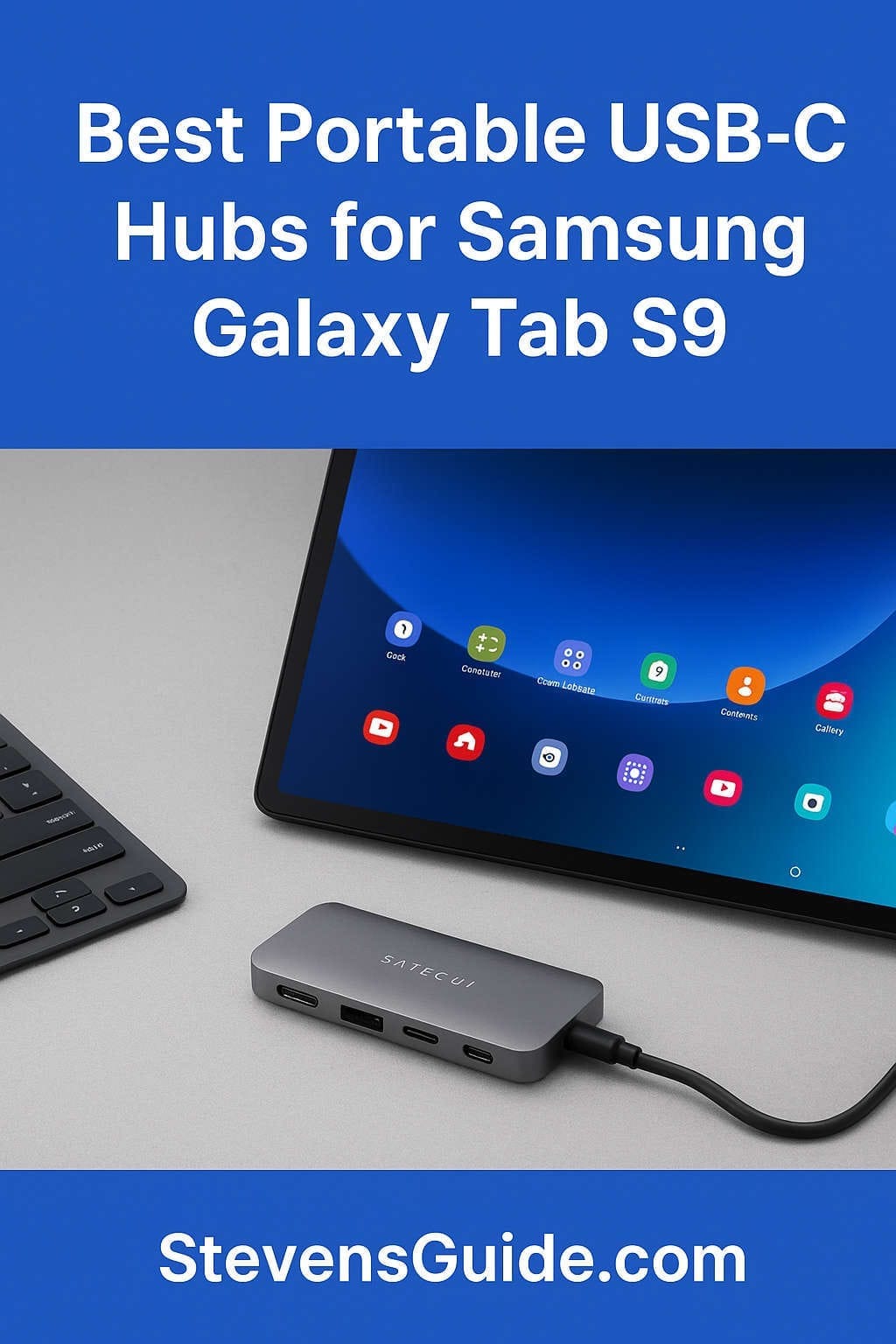
The Samsung Galaxy Tab S9 is one of the most powerful Android tablets available today, and one of its greatest strengths is Samsung DeX—a desktop-style interface that transforms the tablet into a productivity machine. With DeX enabled, the Tab S9 can connect to external monitors, keyboards, mice, storage drives, and wired networks. The experience feels surprisingly close to using a lightweight laptop.
But to unlock all of that versatility, you’ll need one essential accessory: a USB-C hub that supports video output, power delivery, and the specific bandwidth requirements that DeX needs to run smoothly. In other words, not just any cheap USB hub will work. The right hub will make DeX feel fast, stable, and reliable, while the wrong one could introduce lag, screen flickering, connection drops, or simply fail to activate DeX at all.
This guide is designed to help you choose the best portable USB-C hub for your Galaxy Tab S9—with all the details you need, but explained clearly and simply. You’ll learn what features truly matter, what to avoid, and which hubs real-world users trust. You’ll also get several curated recommendations across multiple categories, whether you want the smallest hub possible, the best value option, or a fully featured portable powerhouse that can replace a desktop dock.
If you rely on your Tab S9 for work, travel, school, content creation, or remote productivity, this guide will help you choose the perfect companion accessory.
Before jumping into product recommendations, it helps to understand what makes a hub compatible with DeX in the first place. Samsung DeX is more demanding than a normal USB-C connection. The hub you choose must handle several things at once: charging your tablet, outputting high-resolution video, connecting USB accessories, and sometimes even reading SD cards or supplying power to multiple devices.
To get a smooth, frustration-free experience, look for a hub with the following essentials:
HDMI or DisplayPort with video alt-mode support
Not every USB-C device can output video. The hub must support USB-C DisplayPort alt-mode, which allows the Tab S9 to send video through the USB-C port to an external display. Choose a hub that specifically advertises HDMI or DisplayPort video output.
For the best experience, aim for:
4K at 60Hz (ideal for crisp, smooth visuals)
4K at 30Hz (acceptable if you’re not sensitive to refresh rate)
1080p at 60Hz (perfectly fine for office setups and travel monitors)
A poor-quality hub may cause flickering, black screens, or failure to launch DeX, so video specs matter greatly.
USB-C Power Delivery (PD) passthrough
Because the Tab S9 has only one USB-C port, your hub should also have a second USB-C port that supports Power Delivery passthrough, meaning you can connect your charger to the hub and the hub will send power to the tablet.
Recommended PD levels:
45W PD passthrough – works, but slower charging under heavy use
60W PD passthrough – better for long DeX sessions
100W PD passthrough – ideal, keeps the Tab S9 topped up even while multitasking
Hubs without PD passthrough will drain your tablet quickly during external display sessions.
Enough bandwidth and power for peripherals
If you use USB drives, keyboards, mice, wired Ethernet, SD cards, or other accessories, make sure the hub has:
At least two USB-A or USB-C ports for input devices
USB 3.0 speeds (5Gbps) for data-intensive tasks
Stable power routing to keep all devices connected
Some smaller hubs work well with displays but struggle with multiple USB peripherals. If you want reliability, pick a hub from a reputable brand.
Good build quality and heat management
DeX sessions can be long, and cheap hubs often overheat. Overheating can cause:
Video dropouts
Peripheral disconnects
Hub resets
Reduced performance
Aluminum-bodied hubs with built-in thermal design tend to stay cooler and last longer.
Bonus: Ethernet and card readers
If you work with cameras, SD/microSD card readers are handy. If you want the most stable internet connection in DeX, choose a hub with a Gigabit Ethernet port.
Why the right USB-C hub matters for Galaxy Tab S9 productivity
The Galaxy Tab S9 is powerful enough to replace a laptop for many users, but the experience dramatically changes depending on the USB-C hub you choose.
A good hub unlocks a true desktop workflow
With a reliable hub, you can:
Connect to a large monitor for a PC-like workspace
Use a full-sized keyboard and mouse
Run multiple apps side-by-side
Transfer files from SSDs or flash drives
Charge your tablet at the same time
Access cloud services or corporate networks with Ethernet
Many users find that DeX transforms the Tab S9 from “just a tablet” into a versatile workstation.
A bad hub causes daily frustration
A poorly designed or incompatible hub may cause:
DeX not launching at all
Random disconnects when moving the cable
Flickering or black screens
Input lag
USB devices not appearing
Slow charging or no charging
These issues can ruin the DeX experience entirely.
This is why choosing the right hub is worth the effort—and why this guide focuses only on hubs known to perform consistently well with Samsung’s tablets.
The best portable USB-C hubs for the Samsung Galaxy Tab S9
Below are the top recommendations across several categories, based on real-world performance, compatibility, and portability. Each option works well with DeX and has the power delivery and video specs needed to keep everything running smoothly.
Satechi is one of the most respected makers of USB-C accessories, and the On-The-Go 7-in-1 adapter is an excellent match for the Galaxy Tab S9. It offers a premium aluminum design, reliable power delivery, and smooth 4K video output.
Key advantages:
4K HDMI at 60Hz for a sharp, fluid DeX desktop
USB-C PD passthrough up to 100W
Two USB-A 3.2 ports for accessories
Gigabit Ethernet for fast, stable connections
SD and microSD card readers
What makes this hub stand out is its balance of portability and capability. It’s powerful enough to serve as a travel workstation hub yet compact enough to fit in any bag without feeling like a dock.
Perfect for: professionals, students, digital nomads, content creators.
Anker is widely known for its durability and consistent performance. Their 7-in-1 and 8-in-1 hubs are excellent picks if you want something dependable that just works every time you plug it in.
What these hubs typically include:
4K HDMI video output
USB-C PD passthrough (60–100W depending on model)
Multiple USB-A 3.0 ports
SD/microSD card slots
Optional Ethernet on some models
Anker’s hubs are famous for strong internal wiring, stable connection quality, and less heat buildup compared to budget brands. If you want a safe choice that matches the Tab S9 perfectly, Anker is one of the best options.
Perfect for: users who prioritize durability, warranty support, and consistent performance.
UGREEN has become a highly reliable mid-range accessory brand. Their USB-C hubs offer great performance at a lower price, making them an excellent choice for budget-conscious buyers who still want full DeX compatibility.
Typical features:
4K HDMI support
USB-C PD passthrough up to 100W
Multiple USB-A ports
SD/microSD card readers
Many users praise UGREEN hubs for working immediately with DeX without needing configuration. They are particularly attractive if you want solid functionality without paying a premium for brand recognition.
Perfect for: students, travelers, casual DeX users who still need reliability.
Best for power users who want specialized features
If you want advanced features like multiple display outputs, dedicated high-speed USB ports, or enterprise-level Ethernet stability, J5create and HyperDrive offer some of the most capable USB-C hubs on the market.
Capabilities vary widely by model, but often include:
Dual-display HDMI or DisplayPort setups
High-speed USB 3.2 and USB-C data ports
100W PD passthrough
Strong thermal performance
Aluminum construction
These hubs are popular among professionals who use the Tab S9 in hybrid laptop/desktop workflows. While often more expensive than compact travel hubs, they provide unmatched stability and flexibility.
Perfect for: power users, office workers, coders, IT professionals, and those who need multi-display support.
If all you need is a simple way to connect your Tab S9 to a monitor without multiple ports or peripheral support, the Anker Nano USB-C to HDMI cable is a perfect ultralight option.
Why this is great:
Extremely portable—just a cable
Supports high-resolution HDMI output
Can be paired with a separate USB-C PD charger
Reduces clutter and failure points
This is ideal for people who use Bluetooth keyboards and mice and only need external video and charging.
Perfect for: minimalists, travelers, teachers, presenters, and users who already rely on wireless accessories.
How to pick the perfect hub for your needs
Choosing the right USB-C hub depends on how you use your Galaxy Tab S9. Here’s a quick breakdown to help you narrow down the options.
For office and productivity work
Choose a hub with:
HDMI 4K at 60Hz
Stable Power Delivery
At least two USB-A ports
Optional Ethernet for corporate networks
The Satechi On-The-Go or an Anker 7-in-1 is ideal.
For travel and portability
Choose a hub that’s:
Lightweight
Durable
Minimalist
The Anker Nano USB-C to HDMI cable or a compact UGREEN hub works well.
For creative work (photos, video, drawing)
You’ll want:
SD and microSD card readers
Reliable file transfer speeds
Stable 4K output for color-accurate monitors
The Satechi On-The-Go and HyperDrive hubs excel here.
For heavy multitasking and advanced setups
Choose a hub with:
High-watt PD
Multiple video outputs
Extra data ports
Strong cooling
J5create or HyperDrive professional hubs are the way to go.
Tips for setting up DeX with a USB-C hub
To get the best experience, follow these simple guidelines:
Use a high-quality USB-C to USB-C cable for charging
Cheap cables often cannot handle:
High wattage
Data + power simultaneously
Fast charging speeds
A good cable prevents random disconnects.
Power the hub whenever possible
Even if you’re not charging your Tab S9, giving the hub its own power source improves stability, especially when connecting:
External SSDs
Mechanical drives
Wired Ethernet
Multiple USB peripherals
Keep your tablet and hub firmware updated
Samsung regularly improves DeX performance, and some hub manufacturers release firmware fixes via desktop tools.
Activate DeX manually if auto-launch doesn’t work
Sometimes the tablet doesn’t switch automatically. Just swipe down the notifications and choose “Switch to DeX”.
Use a high-quality HDMI cable
Avoid very long or very cheap HDMI cables. They can cause:
Flickering
No signal
DeX crashing
Downscaled resolution
A short, high-bandwidth HDMI cable usually works best.
Test your hub before relying on it for work
Connect all peripherals and run a quick DeX session to ensure everything works smoothly.
Frequently asked questions about USB-C hubs and DeX on the Tab S9
Do all USB-C hubs work with DeX?
No. Only hubs that support USB-C DisplayPort alt-mode for video output can launch DeX on an external monitor. Generic “USB data hubs” without HDMI or DisplayPort will not work.
Will DeX work without power delivery?
Yes, but your tablet will drain quickly. If you’re working for more than an hour or two, PD passthrough is important.
Can you use a USB-C to HDMI cable instead of a hub?
Yes, but you’ll lose the ability to plug in USB devices unless you’re using Bluetooth accessories.
Does the Tab S9 get hot while running DeX?
A little—but it’s normal. Avoid covering the back of the tablet during long sessions.
Does the type of monitor matter?
Most monitors work fine, but the best compatibility comes from displays that support:
Standard HDMI 2.0
4K at 60Hz
1080p at 60Hz
Some older televisions may require manual resolution settings.
Final recommendations based on user type
If you need a quick conclusion, here’s the best pick for each category:
Best all-around hub: Satechi On-The-Go 7-in-1
Most reliable brand: Anker 7-in-1 / 8-in-1
Best budget option: UGREEN 4K USB-C Hub
Best for power users: J5create and HyperDrive models
Best minimalist choice: Anker Nano USB-C to HDMI cable
Each of these hubs offers excellent compatibility with the Samsung Galaxy Tab S9 and Samsung DeX, but the right one for you depends on your work style, peripheral setup, and travel needs.
Final thoughts: turn your Tab S9 into a true laptop replacement
The Samsung Galaxy Tab S9 is a versatile device capable of functioning as a media machine, productivity tool, creative workstation, or lightweight laptop—especially when paired with Samsung DeX. A well-chosen USB-C hub is the key that unlocks its full potential.
Whether you’re connecting to a large office monitor, running a remote workstation setup, giving presentations, editing photos, or working at a café while traveling abroad, the right hub makes the experience seamless and reliable.
Don’t settle for a hub that “might” work. Choose one that has been proven to handle the demands of high-resolution video, extended work sessions, and stable charging. When you combine the Tab S9 with a dependable USB-C hub, you get a powerful, compact, and flexible computing system that can replace a traditional laptop for many tasks.